
Introduction
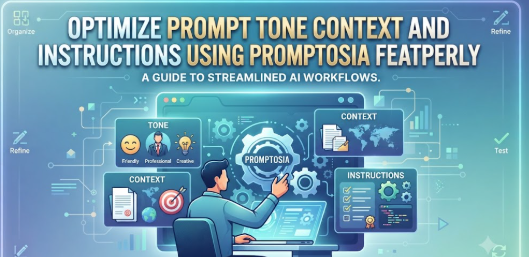
Every time you hunt through endless chat histories for that one brilliant instruction that produced the exact output you needed weeks ago, you lose valuable momentum. Rewriting complex instructions from scratch not only wastes time but also shatters the consistency required for quality work. As generative AI becomes a permanent fixture in professional routines, treating your instructions as structured digital assets rather than disposable text is the key to working smarter. This guide explores how an AI prompt management tool like Promptosia helps you organize, test, and refine your instructions into repeatable workflows that save hours of trial and error.
Why AI Prompt Management Matters
Many people treat AI chats as temporary conversations rather than a workspace. However, the instructions you feed into these models—your prompts—are the blueprints of your digital output.
- Preserving Value: Crafting a nuanced prompt takes trial and error. When you find wording that works, losing it means losing invested time.
- Consistency: Standardized instructions ensure that repeated tasks yield uniform quality, whether you are generating weekly reports or coding snippets.
- Productivity: Having quick access to an AI prompt library eliminates the need to reinvent the wheel every time you sit down to work.
What is Promptosia?
Promptosia was created to address a simple yet widespread friction point: the chaotic way professionals store and manage their AI instructions. Instead of scattering drafts across sticky notes and chat logs, users need a centralized environment to curate their best ideas.
Designed for individuals and teams who rely heavily on generative AI, the platform acts as a dedicated hub for structuring, refining, and testing instructions. By treating prompts as reusable assets rather than disposable text, it helps users build repeatable workflows that save hours of trial and error over the course of a week.
Understanding an AI Prompt Library
An AI prompt library functions much like a digital cookbook or code repository. Instead of digging through endless folders, you categorize your instructions by project, client, or use case.
Effective libraries rely on clear tagging systems, descriptive titles, and customizable variables. For instance, instead of writing a fresh prompt for every blog post outline, you maintain a master template with placeholder brackets for topics, target audiences, and tone. Searching, sorting, and retrieving these templates transforms a messy trial-and-error process into a streamlined system.
AI Prompt Organizer
An AI prompt organizer helps bring order to digital clutter. When you deal with dozens of variations for different models and tasks, folders and categories become vital.
Using an organizer lets you group related instructions logically. You can separate creative writing tasks from technical code debugging prompts. Version tags and collection folders ensure that you always grab the latest, most efficient iteration of your instruction set rather than an outdated draft.
AI Prompt Optimizer
Drafting a raw instruction is usually just the first step. An AI prompt optimizer assists in transforming rough ideas into clear, structured guidance that language models can interpret without ambiguity.
Optimization involves removing filler words, clarifying constraints, specifying output formats, and defining persona boundaries. Cleaner phrasing naturally leads to more predictable and useful responses from your AI tools.
AI Prompt Analyzer
Before deploying an instruction at scale, understanding its internal mechanics is helpful. An AI prompt analyzer gives you visibility into several core dimensions of your text:
- Purpose: Clarifies the primary objective of the instruction.
- Context: Checks if enough background information is provided.
- Variables: Identifies dynamic placeholders that need user input.
- Tone and Audience: Ensures the language matches the desired reader profile.
- Output Structure: Verifies whether formatting guidelines (like bullet points or JSON) are explicit.
- Safety and Constraints: Checks for potential edge cases or guardrail conflicts.
Prompt Quality Checker
A built-in prompt quality checker evaluates whether an instruction meets standard best practices before you save it to your library.
Vague prompts often lead to generic outputs. Checking quality beforehand ensures your text includes precise verbs, clear contextual bounds, and distinct formatting rules, reducing the likelihood of hallucinations or off-target responses from the AI model.
Prompt Version Control Tool
Iterating on instructions is a natural part of working with generative AI. A prompt version control tool tracks how your drafts evolve over time.
- Iterative Improvement: Save minor tweaks to see which wording adjustments produce better results.
- Comparison: Review previous versions side by side to identify what changed.
- Safety Net: Prevent accidental overwrites when experimenting with new sentence structures.
AI Prompt Testing Tool
Small changes in wording can radically alter an AI model’s output. An AI prompt testing tool allows you to run comparative tests across different versions of the same instruction. By observing how slight adjustments affect tone, length, and accuracy, you can lock in the most effective variation for daily use.
Reusable AI Prompt Templates
Creating reusable AI prompt templates standardizes your output quality. By establishing a standard template for recurring tasks—such as customer support replies, code reviews, or content briefs—you eliminate guesswork and ensure every team member or personal workflow follows the same high standard.
Step-by-Step Guide to Managing AI Prompts
- Identify repetitive AI tasks: Notice which questions or requests you type out more than twice a week.
- Write an initial draft: Capture your raw thought process without worrying about perfection.
- Improve the wording: Use an AI prompt optimizer to refine instructions and remove ambiguity.
- Organize with tags: Assign categories and folders using an AI prompt organizer.
- Save reusable versions: Store stable drafts as templates inside your AI prompt library.
- Test variations: Run experimental tweaks through an AI prompt testing tool.
- Track improvements: Utilize a prompt version control tool to log changes over time.
- Refine continuously: Update your library as AI models evolve and your needs shift.
Who Can Benefit?
Writers and Bloggers
Writers often juggle multiple outlines, style guides, and tone settings. Storing structured briefs saves hours of manual re-typing.
Developers
Writing code requires strict syntax and context boundaries. Managing technical snippets prevents repeated debugging instructions.
Students and Researchers
Academic work demands consistent source analysis and summarization formats. Organized instructions keep research workflows tidy.
Educators
Teachers can quickly generate lesson plans, quizzes, and study guides using standardized templates.
Digital Marketers
Campaign planning requires specific audience personas and brand voice guidelines stored securely in one place.
Real-Life Scenarios
Scenario 1: The Content Creator
- Problem: A freelance writer spent twenty minutes every morning recreating the prompt structure needed to generate SEO-friendly blog outlines.
- Practical approach: The writer saved the master outline prompt as a reusable template with dynamic topic variables inside an organized prompt library.
- Outcome: Outline creation time dropped from twenty minutes to under two minutes per article.
Scenario 2: The Software Developer
- Problem: Debugging prompts kept returning overly verbose code explanations instead of concise refactoring suggestions.
- Practical approach: Using a version control tool, the developer tested stricter output constraints and saved the optimized version.
- Outcome: Code review responses became sharper, cleaner, and immediately usable in production.
Scenario 3: The Marketing Specialist
- Problem: Ad copy variations lacked brand voice consistency when team members wrote prompts independently.
- Practical approach: The team established a shared library of optimized copywriting prompts with fixed tone parameters.
- Outcome: Ad copy output matched brand guidelines on the first generation across all campaigns.
Common Mistakes to Avoid
- Saving prompts randomly: Dropping instructions into random desktop text files makes retrieval nearly impossible.
- Rewriting from scratch: Forgetting to save successful iterations forces unnecessary repetition.
- Ignoring version history: Making blind edits without tracking changes can break working templates.
- Using vague instructions: Relying on short, uncontextualized phrases leads to inconsistent AI outputs.
- Skipping testing phases: Assuming a prompt works universally without testing across different scenarios.
Feature Comparison and Quality Factors
| Feature | Why It Matters | Practical Benefit |
| Prompt Library | Centralizes scattered instructions | Instant search and retrieval |
| Version Control | Tracks iterative improvements | Prevents loss of working drafts |
| Prompt Optimizer | Refines ambiguous phrasing | Produces more reliable AI outputs |
| Testing Tools | Compares different variations | Identifies the most effective wording |
| Factor | Why It Is Important | Practical Tip |
| Clarity | Eliminates model confusion | Use direct, active verbs |
| Context | Provides necessary background | Include target audience details |
| Structure | Defines expected output format | Specify bullet points or headers |
Testimonials
Organizing my recurring writing briefs into a structured library transformed my daily workflow. I no longer waste time digging through old chat tabs.
— : Freelance Content Writer
Prompt version control is a game-changer for coding assistants. Being able to track which instruction tweaks improved syntax accuracy saved our team countless hours.
— : Software Developer
Benefits of Managing AI Prompts
- Saves significant time during daily tasks
- Improves output consistency across projects
- Reduces repetitive text entry
- Makes collaboration and sharing easier
- Encourages systematic prompt reuse
- Keeps digital workspaces clean and organized
- Supports continuous workflow improvement
Frequently Asked Questions
What is an AI prompt management tool?
It is a software platform or digital workspace designed to help users store, organize, edit, and retrieve their reusable AI instructions in one centralized location.
Why should I use an AI prompt library instead of chat history?
Chat histories are cluttered, unsearchable by custom tags, and prone to disappearing or becoming difficult to navigate as your usage grows. A dedicated library keeps everything structured.
How does prompt optimization improve AI outputs?
Optimization removes ambiguous phrasing, adds clear constraints, and structures instructions so that language models can interpret them without confusion.
Can prompt version control help me track changes?
Yes, it allows you to compare older prompt iterations against newer ones, ensuring you never lose a working formula when experimenting.
Is Promptosia suitable for individual creators as well as teams?
Yes, it is designed to support both individual power users looking to clean up their personal workflows and collaborative environments requiring standardized templates.
What is the best way to organize an AI prompt library?
Categorize your prompts by project type, task frequency, or specific AI model, and apply descriptive tags for easy keyword searching.
How do reusable templates save time?
They allow you to insert fresh variables into proven instruction frameworks instantly, rather than rewriting the core context from scratch every time.
Why is prompt testing important before saving?
Testing ensures that minor wording changes do not unintentionally alter the model’s tone, format, or accuracy before you rely on the prompt for daily work.
Conclusion
Managing artificial intelligence instructions effectively is the key to moving from casual experimentation to reliable productivity. When you stop treating prompts as disposable chat messages and start treating them as valuable digital assets, your workflow becomes faster, cleaner, and far more consistent.
By utilizing structured organization, version tracking, and optimized templates through platforms like Promptosia, you can eliminate the daily hunt for lost instructions. Take a moment to review your current AI workflow, pull your best instructions into a centralized library, and experience a smoother, more efficient path to better results.

