
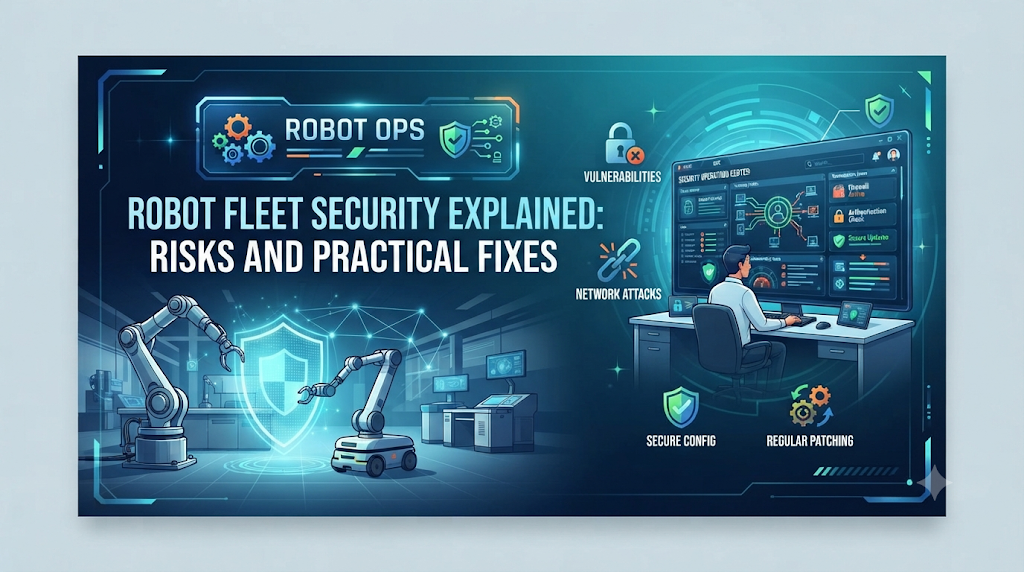
Most warehouses running autonomous robots have a security gap nobody talks about. Teams spend months tuning navigation paths and charging schedules. Then they connect every robot to the same network with default settings and shared logins. It works fine until one robot gets compromised, and the attacker has a way into the rest of the fleet.
This is not a hypothetical. Robots are networked devices. Anything networked can be attacked.
What Robot Fleet Security Actually Means
Robot fleet security is the practice of protecting robots, their network connections, and their data from unauthorized access. It covers three areas:
- The robot itself – its onboard software, firmware, and physical access points.
- The network – how robots talk to each other and to the central fleet management system.
- The data – telemetry, camera feeds, maps, and task logs moving between robots and servers.
A weakness in any one of these areas can put the whole fleet at risk.
Why This Matters More As Fleets Grow
A single robot with a security issue is a contained problem. A fleet of fifty robots sharing one management platform is different. If an attacker gets into that platform, they could send commands to every connected robot.
This risk grows with connectivity. Fleets pull software updates over the internet. They send video and sensor data to the cloud. Some even let remote operators take control during exceptions. Each connection is useful, and each one is also a possible entry point.
There’s a safety angle too. A robot moving through a warehouse or hospital corridor isn’t just software. It’s a physical object near people. A robot that receives bad commands isn’t just a data problem — it’s a safety incident.
Common Weak Points in Robot Fleets
Default credentials. Many robots ship with a default username and password. If a team never changes this, anyone on the same network can log in.
Unencrypted communication. Some older fleet systems send commands and telemetry in plain text. Anyone watching the network traffic can read it — or change it.
Outdated firmware. Robot software gets security patches, just like any other software. A robot running old firmware may have holes that were fixed long ago.
Shared logins. When every technician and contractor uses the same dashboard login, it’s hard to know who did what. It’s also hard to revoke access when someone leaves.
Physical access. A robot on a warehouse floor can sometimes be reached directly. Someone with a USB drive and a few unsupervised minutes can do real damage.
Practical Steps to Secure a Robot Fleet
You don’t need to rebuild your whole system to improve security. Start with the basics.
Change default credentials immediately. This is the most commonly skipped step. Every robot and dashboard login needs a unique, strong password from day one.
Encrypt everything in transit. Telemetry, video, and commands should travel over an encrypted channel. This protects data even if someone intercepts the traffic.
Give each user their own login. Individual accounts with set permissions let you control who can send commands and who can only view status. It also gives you a record of who did what.
Keep software current. Set a regular schedule for checking and applying updates. Automated over-the-air updates make this easier at scale.
Segment your network. Robots don’t need to sit on the same network as office computers. Isolating robot traffic limits how far an attacker can move.
Log and monitor activity. Keep records of commands sent to robots and logins to the dashboard. Unusual activity is easier to catch when you already know what normal looks like.
A Simple Example
Picture a hospital using delivery robots to move medication between floors. These robots connect to elevators and door systems. If their network credentials are weak, an attacker could trigger doors to open at the wrong time, or send a robot somewhere it shouldn’t go.
Now picture the same hospital with encrypted communication, individual logins, and a network that keeps robot traffic separate from general hospital IT. The same attack attempt has far less room to succeed. The robots didn’t change — the practices around them did.
Where This Fits Into RobotOps
Fleet security isn’t a side project. It belongs alongside monitoring, deployment, and maintenance as part of running RobotOps properly. Teams already build CI/CD pipelines and telemetry dashboards for their fleets. Security checks and access controls belong in that same routine, not as a one-time setup task.
If you’re building a fleet management practice from scratch, resources like RobotsOps.com cover the operational side of running robot fleets — deployment, monitoring, and lifecycle management. Security should sit alongside that work, not apart from it.
Common Mistakes Teams Make
Treating security as a one-time setup. New robots get added. Staff changes. New vulnerabilities get discovered. Reviewing your setup regularly matters more than getting it perfect on day one.
Assuming robots are too specialized to be targeted. Attackers often go after whatever is easiest to reach, not what looks most valuable. A robot with default credentials is an easy target, no matter what job it does.
Ignoring the fleet management platform itself. Teams often secure individual robots carefully but leave the central dashboard under-protected. That dashboard is usually the most valuable target in the whole system.
FAQs
Do small fleets need to worry about security?
Yes. A fleet of three robots on a weak network is just as exposed as a fleet of three hundred. Scale changes the impact of an incident, not whether one can happen.
Is fleet security only about hacking?
No. It also covers accidental issues, like an unauthorized person accessing a robot’s controls, or a bad update reaching the whole fleet. Good practices reduce both intentional attacks and honest mistakes.
Who is responsible for robot fleet security — IT or the robotics team?
Usually both. The robotics team understands the robots and their operational needs. IT understands network security and access control. Fleet security works best when these teams coordinate.
Conclusion
Robot fleet security often gets less attention than navigation, task efficiency, or uptime. But it protects all of those things. A compromised fleet can’t reliably do its job, and in physical environments, a security failure can become a safety failure. Unique credentials, encrypted communication, and regular updates close most of the common gaps. They’re worth treating as part of everyday operations, not an afterthought.

