
Introduction
Moving computer systems to the internet is no longer optional for modern organizations. Most companies now run their websites, apps, and data stores using cloud computing instead of buying heavy server hardware and locking it in a basement closet.
However, moving to the cloud creates a major design dilemma. Should you rent space on massive shared infrastructure, build a secure server room dedicated only to your business, or try to run both at the same time?
Choosing the wrong cloud model can lead to unexpected budget blowouts, security vulnerabilities, or apps that crash under heavy traffic. This guide breaks down public, private, and hybrid cloud models in plain English, helping you understand how they work, when to use them, and how to choose the right path.
What Is Cloud Computing?
Before comparing cloud types, it helps to understand what the cloud actually is.
In simple terms, the cloud is not a magical floating entity. It refers to servers housed in massive warehouses filled with computers owned and managed by technology companies. Instead of plugging a hard drive into your office computer, you rent computing power, storage space, and software over the internet.
When companies talk about cloud deployment models, they are talking about where those servers live and who has access to them.
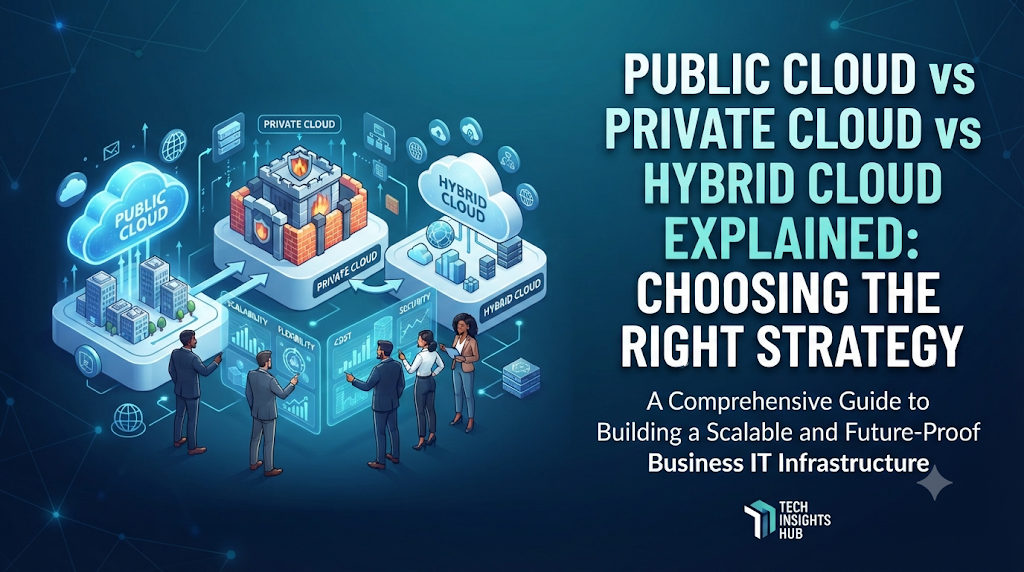
What Is a Public Cloud?
A public cloud is a computing environment where a third-party provider owns and operates the hardware. Companies like Amazon Web Services (AWS), Microsoft Azure, and Google Cloud Platform rent out computing power to millions of different customers over the public internet.
How It Works
Multiple companies share the same physical hardware servers. Advanced software virtualization keeps every customer’s data completely separated and secure from everyone else, much like different apartment units inside a large residential building sharing the same foundational structure.
Why It Matters
Public clouds let small startups build powerful web applications instantly without spending thousands of dollars upfront on physical equipment. If a sudden rush of users visits your website, the public cloud automatically spins up extra computer power in seconds to handle the traffic.
When to Use It
- Launching a new mobile app or website with unpredictable user traffic.
- Running general business software like email or customer relationship tools.
- Storing backup files and project archives.
When to NOT Use It
- When government regulations or strict industry compliance bans storing data on shared servers.
- When managing continuous workloads that never change, where renting long-term can become more expensive than owning equipment.
What Is a Private Cloud?
A private cloud is a dedicated computing environment used exclusively by a single organization. The physical hardware can be located on-site in the company’s own office building, or it can be hosted off-site and managed by a third-party vendor specifically for that one company.
How It Works
Unlike the public cloud, no other company shares the hardware. The entire network, storage array, and processor capacity belong strictly to one organization.
Why It Matters
Private clouds offer ultimate control, deep customization, and strict data isolation. Because the infrastructure is not shared, organizations can tailor security rules down to the individual hardware component level.
When to Use It
- Financial institutions, hospitals, and government agencies handling highly sensitive personal data.
- Large enterprises with predictable, heavy workloads that run continuously around the clock.
- Situations requiring absolute control over data residency and security compliance.
When to NOT Use It
- When starting a new business with a limited technology budget.
- When technical staff lacks the specialized skills required to maintain physical hardware and complex security architectures.
What Is a Hybrid Cloud?
A hybrid cloud combines public and private clouds, connecting them together using encrypted digital networks so that data and applications can move smoothly between both environments.
How It Works
Imagine a bank that keeps sensitive customer account databases securely locked inside its own private cloud server room, but uses a public cloud platform to run its public-facing mobile banking website and customer support chat. When a user logs in, the public-facing app safely requests data from the private database.
Why It Matters
The hybrid approach gives organizations the best of both worlds. They can keep sensitive data secure while taking advantage of public cloud scalability for fluctuating workloads.
When to Use It
- When dealing with “cloud bursting,” where routine operations run locally, but heavy seasonal workloads (like holiday shopping spikes) automatically overflow into the public cloud.
- When modernizing legacy software systems gradually over several years.
When to NOT Use It
- When an organization is too small to manage two completely different technology environments.
- When network connectivity between locations is unreliable or slow.
Public vs Private vs Hybrid Cloud Comparison
| Feature | Public Cloud | Private Cloud | Hybrid Cloud |
| Primary Owner | Third-party provider | Single organization | Both combined |
| Hardware Sharing | Shared with other companies | Dedicated to one company | Mixed environment |
| Upfront Cost | Very low (pay-as-you-go) | High (purchase or custom setup) | Moderate to high |
| Control & Customization | Limited to provider options | Complete control | High flexibility |
| Security Level | Standard enterprise security | Maximum customizable security | Tailored per workload |
| Scalability | Instant and near-infinite | Limited by owned hardware | Flexible across environments |
Real-World Practical Examples
Example 1: The E-Commerce Startup (Public Cloud)
A small team of developers launches an online clothing store. They have no money to buy servers. They host their store on a public cloud. When a major sale event brings ten times normal traffic on Black Friday, the public cloud automatically adds server capacity. Once the sale ends, capacity shrinks back down, saving them money.
Example 2: The National Hospital System (Private Cloud)
A healthcare network stores millions of patient medical records. Because privacy laws strictly protect health data, they cannot risk storing records on shared public servers. They build a private cloud inside a secure data center, giving internal doctors fast access while blocking external internet access completely.
Example 3: The Global Bank (Hybrid Cloud)
An international bank runs its high-security transaction ledgers on a private cloud to meet federal banking regulations. However, their public marketing website and customer rewards portal run on a public cloud to handle millions of casual global visitors without slowing down core banking operations.
Common Mistakes to Avoid
- Moving everything to the public cloud blindly: Assuming public cloud is always cheaper can lead to massive monthly bills for steady, predictable workloads.
- Ignoring data transfer costs: Moving large amounts of data out of a public cloud provider often incurs hidden fees. Calculate network egress costs early.
- Overcomplicating architecture: Adopting a hybrid cloud before your engineering team has mastered basic cloud operations creates unnecessary points of failure.
- Neglecting cloud security configuration: Leaving default security settings unchanged on public cloud buckets is a leading cause of accidental data leaks.
Decision-Making Framework
Use this simple step-by-step framework to choose the right cloud model for your needs:
- Assess Your Data Sensitivity: If your data is heavily regulated or classified, lean toward private cloud storage.
- Evaluate Workload Predictability: If traffic spikes unpredictably, public cloud scalability is essential.
- Calculate Total Costs: Compare the long-term cost of renting public servers versus buying and maintaining private hardware.
- Check Team Skills: Ensure your staff has the expertise to manage the chosen model safely.
- Consider a Hybrid Approach: If you need both strict security and elastic scale, design a hybrid architecture that connects both worlds securely.
Key Terms
- Virtualization: Software technology that creates virtual versions of physical computer hardware, allowing multiple operating systems to run on a single machine.
- Scalability: The ability of a system to handle growing amounts of work by adding resources.
- Compliance: Meeting official laws, regulations, and industry standards regarding data security and privacy.
- Egress Fees: Charges billed by cloud providers when data is transferred out of their cloud network to the public internet.
- Legacy Systems: Older software programs or hardware systems that an organization continues to use because they still work for core operations.
FAQs
Is public cloud insecure?
No. Major public cloud providers invest billions of dollars into advanced security systems, firewalls, and physical security that most individual companies cannot afford. However, proper security configuration remains the responsibility of the user.
Can a private cloud be accessed over the internet?
Yes, but access is strictly controlled using virtual private networks (VPNs), multi-factor authentication, and specialized security gateways to ensure only authorized users get through.
Which cloud model is the cheapest?
For small projects and variable workloads, the public cloud is cheapest because you only pay for what you use. For massive, steady, non-stop workloads running for years, operating a private cloud can sometimes become more cost-effective.
What is multi-cloud?
Multi-cloud means using public cloud services from more than one provider (for example, using both AWS and Google Cloud simultaneously) to avoid getting locked into a single vendor.
Conclusion
Choosing between public, private, and hybrid cloud models depends on your specific needs regarding cost, control, and security. The public cloud offers unmatched flexibility and speed, the private cloud delivers uncompromising security and control, and the hybrid cloud bridges the gap between both worlds. Assess your workloads carefully, avoid unnecessary complexity, and choose the model that supports your long-term goals.

