
Introduction
Cloud computing has completely changed how companies build and run software. Instead of buying physical servers, wiring them up, and keeping them in a cold room, businesses now rent computing power over the internet. Amazon Web Services is the biggest player in this space.
Because cloud technology touches almost every modern business, knowing how to use AWS is one of the most valuable skills in tech. However, AWS offers over 200 different services. Looking at that massive list for the first time can feel overwhelming. Many beginners jump straight into advanced topics without understanding the basics, leading to frustration and wasted time.
This article provides a practical, step-by-step AWS training roadmap tailored for both beginners starting from zero and working engineers looking to master cloud architecture. You will learn what to study, how to practice, which mistakes to avoid, and how to build a career-ready skill set.
What Is AWS and Why Does It Matter?
Amazon Web Services is a cloud computing platform. Simply put, AWS lets you rent computers, storage, databases, and networking tools from Amazon over the internet.
Think of AWS as a massive digital utility company. Just like you plug your home into an electrical grid and only pay for the power you use, companies plug their software into AWS and only pay for the computing power they consume.
Why AWS Skills Matter
- High Demand: Millions of companies, from small startups to massive banks, run their applications on AWS. They constantly need people who know how to manage these systems.
- Cost Efficiency: Traditional IT requires buying expensive hardware that sits idle most of the time. AWS lets companies scale resources up or down instantly.
- Speed of Innovation: Instead of waiting weeks to order physical hardware, developers can spin up a powerful server on AWS in under a minute.
Phase 1: The Foundation for Beginners
If you have never worked with cloud computing before, do not rush into building complex systems. You must first understand how computers talk to each other over the internet.
Core Concepts to Learn First
- Client-Server Architecture: Understanding how your computer (the client) requests information from a remote computer (the server).
- Networking Basics: Learning what IP addresses, DNS (Domain Name System), firewalls, and routers do.
- Virtualization: The technology that lets a single physical computer run multiple simulated computers (virtual machines).
Once you grasp these basics, you are ready to explore your first official AWS service.
Phase 2: Mastering Core AWS Services
Every AWS application is built using a few essential building blocks. If you master these core services, you can handle 80 percent of everyday cloud tasks.
1. Compute: Amazon EC2
Amazon Elastic Compute Cloud (EC2) is the heart of AWS. It lets you rent virtual servers in the cloud.
- Why it matters: Whenever a company needs to run a website, an application, or a database, they usually start with an EC2 instance.
- Real-world example: Imagine you launch an online shoe store. On normal days, one small EC2 server handles your traffic. During a holiday sale, you can instantly spin up ten more EC2 servers to handle the rush.
2. Storage: Amazon S3
Amazon Simple Storage Service (S3) is a scalable storage system for files, images, backups, and videos.
- Why it matters: S3 is infinitely scalable, highly secure, and extremely cheap. Almost every cloud application uses it to store user data.
- Real-world example: Think of S3 as an infinite digital filing cabinet where you can store anything from a single text file to millions of high-resolution customer photos.
3. Databases: Amazon RDS and DynamoDB
Applications need places to save structured data like user accounts and passwords.
- Amazon RDS (Relational Database Service): Manages traditional databases like MySQL and PostgreSQL without requiring you to handle server maintenance.
- Amazon DynamoDB: A fast, flexible NoSQL database designed for applications that need lightning-fast data retrieval at any scale.
4. Networking: Amazon VPC
Amazon Virtual Private Cloud (VPC) lets you create a private, isolated section of the AWS cloud where you can launch your resources safely.
- Why it matters: Security is paramount. A VPC ensures that your database containing customer credit card numbers is hidden away from the public internet, while your website remains accessible to customers.
Phase 3: The Certification and Career Path
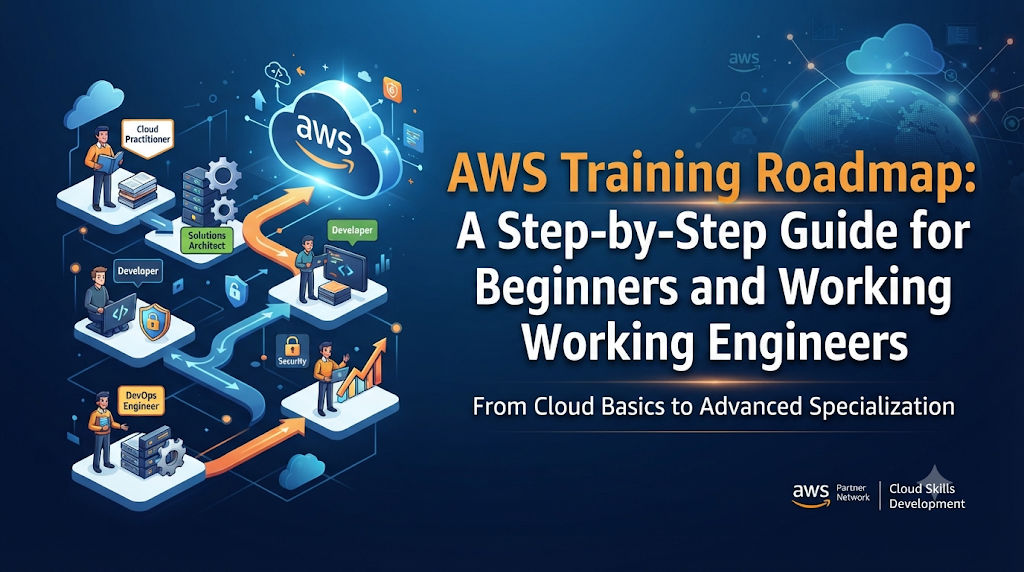
Certifications are a great way to validate your skills, structure your learning, and prove your knowledge to employers. Here is how the AWS certification ladder works.
| Certification Level | Target Audience | What It Proves |
| Foundational (Cloud Practitioner) | Beginners, sales, managers | General understanding of cloud concepts and AWS terminology. |
| Associate (Solutions Architect, Developer, SysOps) | Working engineers with 1+ years of experience | Ability to deploy, manage, and operate workloads on AWS. |
| Professional (Solutions Architect, DevOps Engineer) | Experienced engineers with 2+ years of AWS experience | Advanced technical expertise in designing complex, scalable systems. |
| Specialty (Security, Machine Learning, Data Analytics) | Specialists in specific technical domains | Deep expertise in a specific technical niche. |
Step-by-Step Training Roadmap for Beginners
If you are starting from zero, follow this chronological path over 3 to 6 months:
- Learn Linux and Basic Networking: Spend two weeks learning basic Linux command-line operations and how internet traffic flows.
- Earn AWS Certified Cloud Practitioner: Study basic cloud terminology, pricing models, and core services.
- Build Hands-On Projects: Create a free-tier AWS account. Launch an EC2 instance, host a simple static website, and store backup files in an S3 bucket.
- Earn AWS Certified Solutions Architect – Associate: Dive deeper into networking, security, storage, and database architecture.
- Learn Automation (Infrastructure as Code): Learn tools like Terraform or AWS CloudFormation so you can build cloud environments using code instead of clicking through the web console.
Step-by-Step Training Roadmap for Working Engineers
If you are already a software developer, system administrator, or IT professional, you can move faster:
- Map Existing Skills to Cloud Equivalents: If you know networking, map it to VPC and Route 53. If you know databases, map them to RDS.
- Skip the Beginner Certifications: Start directly with the AWS Certified Solutions Architect – Associate or AWS Certified Developer – Associate.
- Master CI/CD and Containerization: Learn how to run Docker containers on AWS using services like Amazon ECS (Elastic Container Service) or Amazon EKS (Elastic Kubernetes Service).
- Focus on Security and Cost Optimization: Learn AWS IAM (Identity and Access Management) policies deeply, and study how to monitor cloud spending using AWS Cost Explorer.
Common Mistakes to Avoid
Many learners make avoidable errors that slow down their progress or cost them money.
- Mistake 1: Relying Only on Video Courses: Watching hours of video without opening an AWS console creates a false sense of confidence.
- What to do instead: For every hour of video, spend two hours building things hands-on.
- Mistake 2: Forgetting to Delete Resources: Leaving test servers and databases running in the cloud can result in a shocking surprise bill at the end of the month.
- What to do instead: Always set up AWS Billing Alarms to warn you if your spending goes above five dollars.
- Mistake 3: Chasing Every Certification: Collecting ten different badges without practical project experience does not impress hiring managers.
- What to do instead: Focus on deep understanding and building a portfolio of GitHub projects that showcase your cloud architectures.
Risks and Limitations of Cloud Training
While learning AWS is a great career move, keep these practical limitations in mind:
- Cost of Experimentation: While AWS offers a generous free tier, advanced services like large databases or Kubernetes clusters cost money to run.
- Constant Evolution: Amazon releases hundreds of new features every year. You cannot learn everything; focus on mastering core fundamentals that rarely change.
- Complexity Overhead: Moving simple applications to the cloud prematurely can introduce unnecessary technical complexity and higher initial costs for small projects.
Decision-Making Framework: Which Path Should You Choose?
Use this simple framework to decide your next learning step:
- Assess Your Starting Point: Are you completely new to IT, or do you have programming or system administration experience?
- Define Your Goal: Do you want to build web apps (Developer path), design secure infrastructure (Architect path), or automate deployments (DevOps path)?
- Commit to Hands-On Lab Work: Allocate consistent weekly time for practical lab exercises rather than passive reading.
- Validate Through Projects: Build a real application, deploy it to AWS, and make it secure and scalable before scheduling your certification exam.
Practical Checklist for Your Cloud Journey
Before you consider yourself ready for cloud engineering roles, verify that you can check off these practical skills:
- Launch a secure Linux virtual server on EC2 and connect to it via SSH.
- Host a public static website using Amazon S3 and CloudFront.
- Set up a custom VPC with public and private subnets, a NAT gateway, and security groups.
- Deploy a relational database using Amazon RDS and connect your web server to it.
- Write an automated script or template using Terraform to spin up cloud infrastructure.
- Set up a billing alert to monitor your personal AWS cloud expenses.
Key Terms
- Cloud Computing: Delivering computing services over the internet instead of using local hardware.
- Region: A physical geographical location around the world where AWS clusters data centers.
- Availability Zone (AZ): One or more discrete data centers with redundant power, networking, and connectivity within an AWS region.
- IAM (Identity and Access Management): The AWS service that securely manages user access and permissions to cloud resources.
- Infrastructure as Code (IaC): Managing and provisioning cloud data centers through machine-readable definition files rather than physical hardware configuration.
- Serverless: A cloud computing model where AWS automatically manages the servers, allowing developers to focus entirely on writing application code.
- Auto Scaling: A service that automatically adds or removes compute resources based on real-time traffic demand.
- Load Balancer: A device that distributes incoming application traffic across multiple backend servers to ensure reliability.
FAQs
How long does it take to learn AWS from scratch?
If you study consistently for 10 to 15 hours a week, it typically takes about 3 to 6 months to go from a complete beginner to passing the Associate-level certification and building practical cloud projects.
Do I need to know programming to learn AWS?
You do not need to be a software engineer to learn basic AWS administration or cloud support roles. However, knowing basic scripting languages like Python or Bash is extremely helpful for automation and working engineers.
Is AWS free to learn?
AWS offers a robust Free Tier with many services free for 12 months, and others free forever within specific usage limits. However, you must enter a credit card, and you should always set up billing alerts to avoid accidental charges.
Which AWS certification should I get first?
Most beginners start with the AWS Certified Cloud Practitioner to learn basic terminology. If you already have an IT or software background, you can skip it and start directly with the AWS Certified Solutions Architect – Associate.
How do I practice AWS without spending money?
Use the AWS Free Tier, take advantage of free tier limits, and make it a strict habit to terminate or delete all resources immediately after you finish your practice labs.
Can I get an AWS job with just certifications?
Certifications help get your resume noticed, but hiring managers value hands-on experience most. Building a portfolio of real projects on GitHub and being able to explain how you solved technical problems is crucial.
Conclusion
Learning AWS is a journey that transforms how you think about building, scaling, and managing technology. Whether you are an absolute beginner taking your first steps into IT or a working engineer modernizing legacy systems, following a structured roadmap keeps you focused. Master the core fundamentals of compute, storage, and networking, practice hands-on every single week, and build real systems. Take your first step today by setting up your AWS account and launching your very first cloud server.

