
Introduction
Many growing companies start with their own physical servers sitting in a back room or a local data center. Over time, those machines get old, run out of space, and require expensive upgrades. Maintenance becomes a full-time job.
To solve this, businesses look to cloud computing. Instead of buying physical hardware, organizations rent computing power and storage over the internet.
However, moving existing systems to the cloud is rarely as simple as clicking a button. Without a clear plan, teams face unexpected costs, unexpected downtime, and broken applications. This guide breaks down cloud migration basics for both business leaders and technology teams, helping you understand how the process works, what can go wrong, and how to do it right.
What Is Cloud Migration?
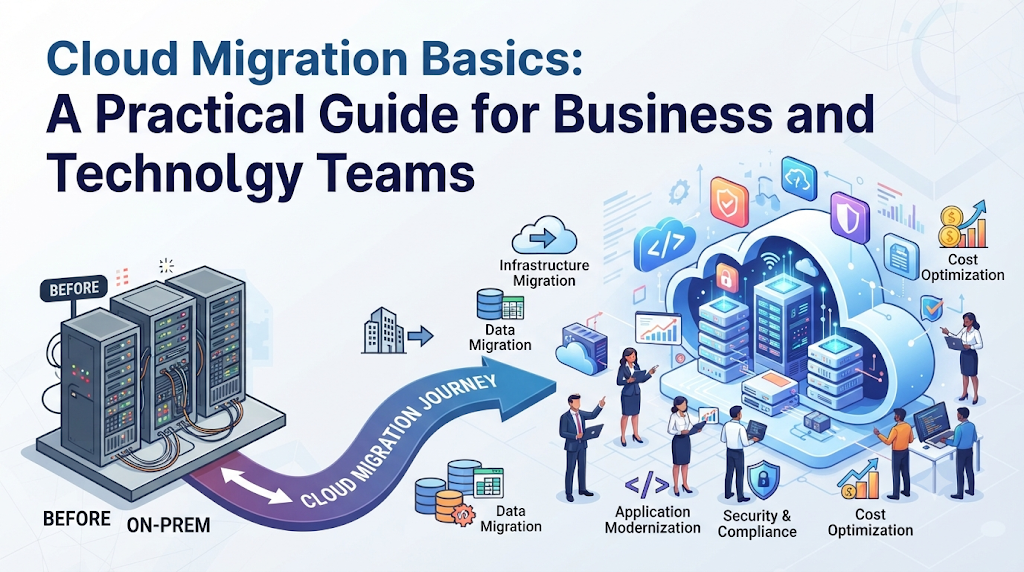
Cloud migration is the movement of digital business operations from local, physical infrastructure into a cloud environment.
Think of it like moving your office. On-premise infrastructure is like owning an office building: you pay for the mortgage, handle the electricity, fix the plumbing, and buy all the desks. Cloud computing is like renting a fully serviced, flexible workspace: the landlord handles the building maintenance, and you can rent more desks instantly whenever your team grows.
Why Does It Matter?
For businesses, cloud migration changes technology from a massive upfront expense into a flexible, predictable monthly operational cost. It allows small teams to use enterprise-grade computing power without managing physical data centers.
How Cloud Migration Works: The 6 Rs Framework
When technology teams plan a migration, they do not just copy everything as-is. They use a standard industry framework known as the 6 Rs to decide how to handle each application.
- Rehosting (“Lift and Shift”): Moving an application to the cloud with zero changes. This is the fastest method, but it does not take full advantage of cloud features.
- Replatforming (“Lift, Tinker, and Shift”): Making a few small changes to let the application run better in the cloud (such as switching from a self-managed database to a cloud database service).
- Refactoring / Re-architecting: Completely redesigning the application to use native cloud features. This takes the most time and effort, but offers the highest long-term performance and cost savings.
- Repurchasing: Moving from an existing software product to a cloud-native SaaS (Software as a Service) alternative, like switching from an on-premise email server to Google Workspace or Microsoft 365.
- Retaining: Keeping certain applications on local servers because they are too complex, expensive, or legally restricted to move right now.
- Retiring: Shutting down old applications that nobody uses anymore.
Why Migrate to the Cloud?
Companies migrate to the cloud for several distinct operational and financial reasons.
1. Scalability
If your retail website experiences a massive surge in traffic during a holiday sale, a physical server might crash from overload. A cloud environment can automatically spin up extra server power within seconds to handle the traffic, then scale back down when the sale ends.
2. Cost Efficiency
With physical servers, you must buy enough hardware to handle your busiest day of the year, meaning expensive equipment sits idle most of the time. The cloud uses a pay-as-you-go model, meaning you only pay for the computing power you actually use.
3. Reliability and Disaster Recovery
Top cloud providers operate massive, globally distributed data centers. If a local power outage or hardware failure happens at your office, your cloud data remains safe and accessible from anywhere.
Practical Examples
Example 1: The Growing E-Commerce Startup (Rehosting)
A small online clothing store runs its website on two physical servers in the founder’s office. During the holiday season, the site crashes repeatedly. The technology team decides to rehost the website onto Amazon Web Services (AWS). They move the exact website files to a cloud server. Now, when traffic spikes, they simply click a button to add more cloud server capacity, preventing crashes without buying new hardware.
Example 2: The Financial Services Firm (Retaining)
A bank wants to move its data to the cloud. However, strict government regulations require certain customer records to remain stored on physical hardware inside the country. The bank decides to retain those specific legacy databases on-premise while moving their customer service portal and internal communication tools to a secure cloud provider.
Real-World Considerations and Challenges
Moving to the cloud is not without friction. Technology teams often face hidden challenges during execution.
Data Transfer Speeds
Moving terabytes of historical company data over a standard internet connection takes a very long time. For massive datasets, companies often have to physically ship hard drives to the cloud provider’s data center (a process called physical data transport) to seed the initial migration.
Unexpected Cloud Costs
Many businesses move to the cloud expecting immediate savings, only to see their bills rise. This happens because teams leave test servers running 24/7 or fail to downscale resources when demand drops. Cost management requires active monitoring and automated alerts.
Common Mistakes Beginners Should Make
| What People Do | Why They Do It | Why It Causes Problems | What They Should Do Instead |
| Moving everything at once (“Big Bang”) | They want to finish the project quickly. | If something fails, the entire business operation goes down simultaneously. | Migrate applications in small, manageable phases, starting with low-risk systems. |
| Treating the cloud like a physical server | It feels familiar to traditional IT habits. | It wastes money and ignores powerful cloud automation features. | Train staff on cloud-native tools and auto-scaling practices. |
| Ignoring security configurations | They assume the cloud provider handles all security. | Misconfigured cloud storage buckets frequently expose sensitive company data to the public internet. | Implement a shared responsibility model and audit access permissions regularly. |
Risks and Limitations
Security and Identity Management
In the cloud, your perimeter is defined by user accounts and passwords rather than physical office walls. If an employee’s password is stolen, an attacker can access company systems from anywhere in the world.
- How to reduce it: Enforce multi-factor authentication (MFA) for every user and follow the principle of least privilege (giving people access only to the exact tools they need).
Vendor Lock-in
Building an application that relies heavily on unique features built into one specific cloud provider makes it very difficult and expensive to switch to a different provider later.
- How to reduce it: Use open-source tools and standard container technologies (like Docker) where possible to keep your software portable.
Decision-Making Framework
Use this simple framework to plan your migration approach:
- Assess Your Inventory: List every application, database, and file server your business currently uses.
- Classify and Prioritize: Group applications by importance. Start your migration with low-risk, internal tools before moving core customer-facing systems.
- Choose the Strategy: Apply the 6 Rs (Rehost, Replatform, Refactor, Repurchase, Retain, Retire) to each individual application.
- Calculate Costs: Estimate both the migration labor and the ongoing monthly cloud bills.
- Test and Verify: Run test migrations in a sandbox environment to catch errors before touching live production data.
Checklist for Cloud Migration Readiness
- Have you created a complete inventory of all existing hardware, software, and data?
- Have you identified which applications must move first and which should stay behind?
- Has your technology team received basic training on the chosen cloud platform?
- Is there a rollback plan if the migration fails or causes unexpected downtime?
- Have you set up multi-factor authentication and strict access controls?
- Are cloud cost-monitoring tools and spending alerts active?
Key Terms
- On-Premise: Software and hardware that are run locally on physical equipment inside a company’s own building or office.
- Cloud Provider: A company (such as AWS, Microsoft Azure, or Google Cloud) that rents out remote computing power, storage, and networking over the internet.
- Scalability: The ability of a system to easily handle growing amounts of work by adding resources.
- Legacy System: An old software program or hardware setup that is still in use, often difficult to update or replace.
- Shared Responsibility Model: A security rule stating that the cloud provider protects the underlying infrastructure, while the customer is responsible for securing their own data and user access.
- Container: A lightweight, standalone package of software that includes everything needed to run an application, making it easy to move between different computers.
Frequently Asked Questions
Is cloud migration safe for sensitive business data?
Yes, major cloud providers offer advanced encryption, physical security, and compliance certifications that exceed what most individual companies can afford on-premise. However, security depends heavily on proper configuration by your internal team.
How long does a cloud migration take?
It varies widely depending on company size. A small business with a simple website might migrate in a single weekend. Large enterprises with hundreds of complex legacy applications often take months or even years.
Do I need to rewrite all my software to use the cloud?
No. Many companies start by simply “rehosting” (moving applications as-is) to get out of the physical data center business, then refactor and modernize their software gradually over time.
What is the biggest hidden cost in cloud migration?
The biggest hidden cost is usually ongoing operational management and data egress fees (the cost of moving data out of the cloud). Without active monitoring, unused or over-provisioned cloud resources silently waste money every month.
Can small businesses benefit from cloud migration?
Absolutely. Small businesses benefit immensely because they avoid the high upfront cost of buying physical servers and gain access to enterprise-grade tools instantly.
What happens to our old physical servers after migration?
Once all data and applications are safely running in the cloud and thoroughly tested, physical servers are typically wiped clean, decommissioned, and securely recycled or sold.
Conclusion
Cloud migration is much more than just a technical IT project; it is a business decision that changes how an organization operates, scales, and spends money. By understanding the core strategies, avoiding common pitfalls like poor cost tracking and weak security, and migrating applications in thoughtful phases, both business leaders and technology teams can successfully navigate the journey to the cloud and unlock long-term flexibility.

