
Introduction
Modern software teams must release applications faster without creating unstable, insecure, or inconsistent environments. Beginners often hear that Docker packages applications while Kubernetes manages containers, but the practical relationship between them can still feel confusing. Poor container design, weak automation, and unnecessary Kubernetes complexity can increase operational work instead of reducing it. Understanding how Kubernetes and Docker support modern DevOps teams helps developers, administrators, students, and technology leaders make better architectural decisions. This guide explains their roles, workflows, risks, tools, and practical use cases in simple language so readers can build consistent deployment processes, improve collaboration, strengthen reliability, and adopt container technology without blindly following industry trends.
What is Kubernetes and Docker ?
Docker and Kubernetes are related technologies, but they solve different problems.
Docker helps teams package an application with the libraries, runtime components, configuration files, and system dependencies it requires. This package is called a container image. A running instance of that image is called a container.
The main purpose of Docker is consistency. An application placed inside a properly designed container should behave similarly on a developer’s laptop, a testing server, and a production environment.
Kubernetes manages containerized applications at a larger scale. It decides where containers should run, monitors their condition, replaces failed containers, distributes network traffic, manages application updates, and adjusts capacity when demand changes.
A simple way to understand the difference is:
- Docker prepares and runs individual containers.
- Kubernetes coordinates many containers across multiple machines.
- DevOps practices connect development, testing, security, deployment, and operations around these technologies.
How Docker Works
A developer creates a Dockerfile containing instructions for building an application image. Docker reads those instructions and packages the application into an image.
That image can be stored in a container registry. Different environments can pull the same image and run it as a container.
This reduces the common problem of software behaving differently because development and production systems have different libraries or operating-system configurations.
How Kubernetes Works
Kubernetes uses configuration files to describe the desired condition of an application. The team may specify that an application should have three running container instances, receive traffic through a service, use specific environment variables, and restart automatically after failure.
Kubernetes continually compares the desired condition with the actual condition. When a container stops unexpectedly, Kubernetes can create a replacement.
Why People Search for This Topic
DevOps learners and business teams commonly search for Kubernetes and Docker because they want to:
- Reduce deployment inconsistencies
- Automate application delivery
- Support microservices
- Improve scalability
- Recover from application failures
- Standardize development environments
- Use cloud infrastructure more effectively
- Create repeatable deployment pipelines
Where They Are Used in Real Life
Docker and Kubernetes are used in web applications, mobile backends, software platforms, internal business systems, data-processing services, application programming interfaces, testing environments, and cloud-native products.
A software company may use Docker to package ten microservices. It may then use Kubernetes to deploy those services, connect them, monitor their health, and increase selected services during peak demand.
Beginner-Friendly Example
Imagine an online ordering application with separate services for login, products, payments, and notifications. Docker can package each service independently.
Kubernetes can run multiple copies of busy services, restart failed containers, route internal communication, and coordinate controlled application updates.
Common Misunderstanding
A frequent misunderstanding is that Kubernetes replaces Docker completely. Kubernetes is an orchestration platform, while Docker is commonly associated with container image creation and local container workflows.
Kubernetes can run containers created from standard container images, including images produced through Docker-based workflows. However, Kubernetes does not require the Docker Engine to operate on cluster nodes.
Practical Takeaway
Use Docker when you need consistent application packaging and isolated execution. Introduce Kubernetes when container management, availability, scaling, and deployment coordination become too complex for manual handling.
Why Kubernetes and Docker Are Important for Modern DevOps
Modern DevOps teams are expected to deliver software quickly while maintaining reliability, security, and operational visibility. Docker and Kubernetes support these goals by creating repeatable technical processes.
Consistent Application Environments
Without containers, developers may install dependencies directly on their computers. Testing teams may use different versions, while production servers may have older system libraries.
Docker reduces this variation by packaging required components with the application.
The better approach is to build an image once, test that image thoroughly, and promote the same verified artifact across environments.
Faster and Safer Deployments
Traditional deployments may involve copying files to servers and executing manual commands. Such processes are difficult to repeat and easy to perform incorrectly.
Container images provide versioned deployment units. Kubernetes adds controlled rollout strategies, health checks, and automated replacement.
This does not guarantee that every release will succeed, but it gives teams a structured way to detect and manage problems.
Improved Team Collaboration
Developers, testers, security professionals, and operations engineers can use the same container definition as a shared technical reference.
Developers define application requirements. Security teams scan images. Platform teams manage deployment policies. Operations teams monitor the running workloads.
The shared workflow reduces misunderstandings between teams.
Better Infrastructure Utilization
Containers are generally more lightweight than complete virtual machines because multiple containers can share the host operating-system kernel.
Kubernetes can distribute workloads across available cluster nodes according to resource requests and scheduling policies.
However, teams must still define realistic CPU and memory requirements. Poor resource settings can cause instability or wasted capacity.
Support for Automation
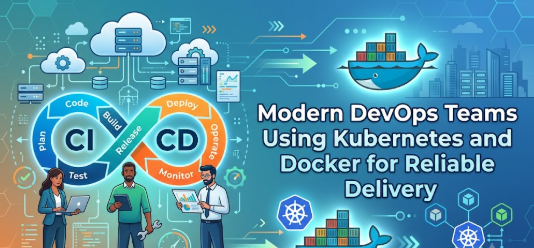
Docker image creation can be integrated into continuous integration pipelines. Kubernetes deployment changes can be integrated into continuous delivery workflows.
This allows repetitive work to be handled consistently through automation instead of undocumented manual actions.
Practical Scenario
A small software team releases an application every two weeks. Its manual deployment process requires one engineer to stop services, replace files, update configuration, restart processes, and check logs.
After adopting container images and a controlled Kubernetes deployment process, the team can automate most steps. Engineers still review the release, monitor health signals, and approve sensitive changes, but the technical process becomes more repeatable.
The Real Problems DevOps Teams Face
Docker and Kubernetes are not valuable simply because they are popular. Their value becomes clearer when they address genuine operational problems.
Inconsistent Development Environments
Different developers may use different dependency versions. One person may successfully run an application while another receives errors.
A version-controlled Dockerfile helps create a more consistent development setup.
The mistake is assuming that a Dockerfile automatically produces perfect consistency. Teams must pin important dependency versions, maintain images, and rebuild them regularly.
Slow Manual Deployment
Manual deployment requires people to remember commands, paths, credentials, and environment-specific procedures.
This makes releases difficult to audit and repeat.
The better approach is to define build and deployment processes as code, test them, and place important changes under review.
Application Scaling Problems
An application may perform well under normal traffic but fail when requests increase.
Kubernetes can scale workloads horizontally by running additional instances. However, the application must support distributed operation, and the underlying infrastructure must have available capacity.
Scaling is not only a Kubernetes configuration decision. Databases, queues, external services, and application architecture must also support increased demand.
Weak Failure Recovery
When a process fails on a traditional server, an engineer may need to restart it manually.
Kubernetes can perform health checks and replace failed containers. This reduces recovery time for certain failures.
The mistake is treating automatic restart as a complete reliability strategy. Restarting does not repair bad code, corrupt data, unavailable databases, or incorrect configuration.
Configuration Confusion
Applications usually require different settings in development, testing, and production.
Hardcoding these settings into container images creates risk. Kubernetes provides mechanisms for handling ordinary configuration and sensitive information separately.
The better approach is to keep images environment-neutral and supply configuration during deployment.
Too Much Confusing Advice
Online discussions sometimes suggest that every company needs Kubernetes. This can lead small teams to adopt a complex platform before they have enough applications, operational maturity, or staff.
A simpler container hosting service may be more appropriate for a small workload.
Technology selection should follow business and operational needs rather than industry pressure.
Unrealistic Expectations
Some teams expect Docker and Kubernetes to eliminate operational work. In reality, they change the type of work.
Teams must manage image security, cluster upgrades, access controls, networking, observability, capacity, backups, and deployment standards.
Automation reduces repetitive effort, but responsible platform management remains necessary.
How Kubernetes and Docker Work Step by Step
Step 1: Prepare the Application for Containerization
The first step is understanding the application’s runtime needs, dependencies, network ports, storage requirements, and configuration. This matters because a poorly understood application produces an unreliable container. Teams should identify which files belong inside the image and which data must remain outside it. For example, a web application may need a language runtime, package libraries, and a startup command. A common mistake is copying the entire development directory into the image, including secrets and unnecessary files. A better approach is to create a minimal build context and document all runtime requirements.
Step 2: Create a Dockerfile
A Dockerfile contains the instructions used to build the container image. It may define a base image, copy application files, install dependencies, create a non-root user, expose a network port, and specify the startup command. This matters because the Dockerfile becomes a repeatable record of the application environment. For example, a team may build a web service from a small language runtime image and install only production dependencies. The common mistake is using a large, unmaintained base image. The better approach is to use a trusted base, pin important versions, reduce unnecessary packages, and review image layers.
Step 3: Build and Test the Container Image
The team then builds the image and runs automated tests against it. Testing the actual image matters because successful source-code tests do not always confirm that the packaged application works correctly. Teams should verify startup behavior, network access, environment variables, health endpoints, file permissions, and resource use. A common mistake is testing locally and assuming production will behave exactly the same. The better approach is to test the image in an environment that closely reflects production conditions while keeping configuration and secrets separate.
Step 4: Store the Image in a Registry
After the image passes required checks, it is pushed to a container registry. The registry provides a controlled place for storing, versioning, scanning, and distributing images. For example, a pipeline may tag an image using a release number or commit identifier. A common mistake is repeatedly using a generic tag such as “latest,” which makes it difficult to identify exactly what was deployed. The better approach is to use immutable, traceable tags and maintain clear image-retention rules.
Step 5: Define the Kubernetes Workload
The team creates Kubernetes configuration describing how the application should run. This may include a Deployment, Service, ConfigMap, Secret reference, resource requests, health probes, and scaling rules. These definitions matter because Kubernetes uses them to maintain the desired application state. A common mistake is copying a large configuration from the internet without understanding each setting. The better approach is to begin with a minimal configuration, validate it, and add complexity only when a real requirement appears.
Step 6: Deploy the Application to a Cluster
Kubernetes schedules the application containers onto suitable cluster nodes. The platform pulls the specified image, creates pods, connects networking, and applies the declared configuration. Teams should monitor rollout status and confirm that health checks pass. A common mistake is considering a successful configuration submission to be a successful deployment. The better approach is to verify running replicas, application logs, error rates, latency, and user-facing behavior before marking the release complete.
Step 7: Monitor, Scale, and Recover
After deployment, teams observe application health, resource use, traffic, logs, traces, and events. Kubernetes can restart failed containers or create more replicas according to scaling policies. This matters because production conditions can differ from testing conditions. A common mistake is configuring automatic scaling without understanding which metrics represent actual demand. The better approach is to use meaningful service indicators, test scaling behavior, and confirm that downstream systems can handle increased traffic.
Step 8: Improve Through Controlled Feedback
Containerized systems require continuous improvement. Teams review incidents, deployment failures, image vulnerabilities, resource patterns, and operational costs. For example, a post-incident review may show that a health check was too shallow and allowed a broken application to receive traffic. A common mistake is treating the first configuration as permanent. The better approach is to update platform standards gradually, document lessons, and test operational changes before broad adoption.
Key Factors That Influence Successful Adoption
Application Architecture
Stateless applications are usually easier to scale and recover than applications that keep important data inside a running container.
Stateful workloads can run on Kubernetes, but they require careful storage, backup, recovery, and consistency planning.
Teams should evaluate architecture before assuming every application can be containerized in the same way.
Team Skills
Kubernetes introduces concepts such as pods, services, deployments, namespaces, ingress, role-based access, storage classes, and network policies.
Without sufficient training, teams may copy configurations without understanding their consequences.
A better adoption plan includes hands-on learning, documented standards, peer review, and gradual production responsibility.
Deployment Frequency
Teams that deploy often may gain substantial value from automated image creation and Kubernetes rollout controls.
A small internal application updated once or twice a year may not require a complex orchestration platform.
The technology should match the operational need.
Reliability Requirements
Applications with strict availability expectations may benefit from multiple replicas, health checks, controlled updates, and workload distribution.
However, availability depends on the complete system, including databases, external services, network design, and disaster recovery.
Kubernetes supports reliability practices, but it cannot create reliability automatically.
Security Requirements
Containers and clusters must be protected through image scanning, access control, secret handling, network restrictions, patch management, and runtime monitoring.
Running containers with unnecessary privileges creates avoidable risk.
Security should be designed into the build and deployment workflow rather than added after incidents occur.
Resource Management
Kubernetes scheduling depends heavily on CPU and memory requests. Limits can also influence workload behavior.
Requests that are too low may overcrowd nodes. Requests that are too high may waste capacity and prevent scheduling.
Teams should measure real usage and adjust settings carefully.
Observability
Teams need logs, metrics, events, traces, dashboards, and alerts to understand distributed applications.
Containers can be replaced quickly, so relying on files stored inside a container is unreliable.
Centralized observability should be part of the platform design.
Cost and Operational Complexity
Managed Kubernetes services reduce some infrastructure work, but they do not remove application, security, governance, or cost-management responsibilities.
Teams should calculate platform cost, staffing needs, support requirements, and expected benefits before adoption.
Detailed Breakdown of Docker and Kubernetes
Docker as an Application Packaging System
Docker made container workflows accessible by providing familiar tools for building images, running containers, managing local networks, and composing related services.
The Dockerfile allows teams to define an application environment as code. This file can be reviewed, tested, versioned, and updated with the rest of the project.
A strong Docker workflow usually includes:
- A maintained base image
- Reproducible dependency installation
- Minimal runtime components
- A non-root application user
- Clear startup behavior
- Health-check support
- External configuration
- No embedded secrets
- Automated vulnerability scanning
The common mistake is treating a container as a small virtual machine. Teams may install debugging tools, process managers, databases, application servers, and unrelated services into one image.
The better approach is to give each container a clear responsibility and keep the runtime image focused.
Container Images and Layers
Container images are built in layers. Each Dockerfile instruction may contribute to a layer.
Layering improves reuse and build efficiency, but careless ordering can produce large images or expose sensitive information.
Deleting a secret in a later layer may not remove it from earlier image history. Secrets should never be copied into the build context without an approved secure process.
Teams should also use multi-stage builds when an application needs build tools that are unnecessary at runtime. The application can be compiled in one stage and copied into a smaller final image.
Docker in Local Development
Docker supports local environment consistency. Developers can run application services, databases, queues, or testing dependencies without installing everything directly on their machines.
A compose-based workflow can describe several local services and their relationships.
The advantage is easier onboarding. A new developer can start a documented environment with fewer manual setup steps.
The risk is allowing the local environment to become very different from production. Development convenience should not hide production requirements such as authentication, network restrictions, resource limitations, and external storage.
Kubernetes as an Orchestration Platform
Kubernetes manages workloads using declarative configuration. Teams describe what they want, and controllers work to maintain that condition.
This model differs from a list of manual server commands.
For example, instead of commanding a specific server to start three processes, a team declares that three replicas should exist. Kubernetes schedules them across available nodes.
This provides flexibility, but it also requires teams to understand how controllers, scheduling, networking, storage, and health checks interact.
Pods
A pod is the smallest deployable unit in Kubernetes. It commonly contains one main application container, although it can contain additional tightly connected containers.
Containers inside one pod share networking and certain resources.
The common mistake is placing unrelated services into one pod. This makes scaling, updates, and failure isolation more difficult.
A better approach is to group containers only when they must share the same lifecycle and local resources.
Deployments
A Deployment manages stateless application replicas and controlled updates.
It can create new pod versions gradually while old versions remain available. It can also support rollback when a release creates problems.
A successful rollout still requires correct readiness checks. Without them, Kubernetes may send traffic to an application that has started its process but is not ready to serve users.
Services
Pods can be created and replaced, which means their addresses are not permanent. A Kubernetes Service provides a stable way to reach a group of pods.
Services select pods using labels and distribute communication among suitable endpoints.
Incorrect labels are a common source of connection problems. Teams should use clear naming standards and validate selectors during deployment testing.
Configuration and Secrets
ConfigMaps commonly store non-sensitive configuration. Secrets are used for sensitive values, but using a Kubernetes Secret does not automatically create complete protection.
Teams must consider encryption, access control, external secret systems, audit logging, rotation, and application exposure.
The mistake is assuming that encoding a value makes it secure. Encoding and encryption are not the same.
Health Probes
Kubernetes supports startup, readiness, and liveness probes.
A startup probe helps determine whether a slow-starting application has completed initialization. A readiness probe controls whether the application should receive traffic. A liveness probe helps detect certain conditions that may require restart.
Poor probe design can create failure loops. For example, an overly strict liveness probe may repeatedly restart a healthy but temporarily busy application.
The better approach is to design probes around meaningful application behavior and test them under load.
Scaling
Kubernetes can scale workloads manually or automatically.
Horizontal scaling increases the number of pod replicas. Vertical changes adjust resource allocations. Cluster scaling can add or remove infrastructure capacity where supported.
Scaling decisions should be based on tested metrics and system design. Increasing frontend replicas will not solve a database bottleneck.
Rolling Updates and Rollbacks
Kubernetes supports gradual application replacement. Teams can control how many instances become unavailable or are created during a rollout.
This reduces interruption, but application compatibility still matters.
Database changes, message formats, and APIs should remain compatible while old and new versions run together.
A rollback may also fail when data migrations are irreversible. Release planning must include more than application-image replacement.
Namespaces and Access Control
Namespaces help organize resources and apply selected policies. Role-based access control helps determine what users and services can do.
Giving every engineer cluster-wide administrative access is a major mistake.
The better approach follows least privilege, separates responsibilities, records sensitive actions, and reviews permissions regularly.
Kubernetes Networking
Kubernetes networking allows pods and services to communicate, but default openness may not meet security requirements.
Network policies can restrict traffic between workloads where supported.
Teams should document expected communication paths and block unnecessary connections.
Persistent Storage
Containers are replaceable, so important data should not depend on the local container filesystem.
Kubernetes provides storage abstractions, but teams must still design backup, recovery, encryption, capacity, and regional-failure strategies.
Persistent volumes are not a substitute for verified backups.
CI/CD Integration
A practical pipeline may perform the following actions:
- Check source code
- Run unit and integration tests
- Build a container image
- Scan dependencies and image layers
- Create a traceable image tag
- Push the image to a registry
- Validate deployment configuration
- Deploy to a controlled environment
- Run post-deployment checks
- Promote or roll back based on evidence
The common mistake is automating deployment without adding quality and security gates.
The better approach is to automate verification as carefully as deployment.
Common Mistakes Beginners Make With Kubernetes and Docker
Using Kubernetes Before It Is Needed
Teams sometimes adopt Kubernetes because it appears to be the standard choice.
This can create unnecessary cost, maintenance, and learning pressure.
A small team with a few simple services may be better served by a managed container platform or simpler deployment model.
Building Oversized Images
Large images take longer to transfer, contain more packages, and create a wider security surface.
This often happens when teams use full development images in production.
Use smaller trusted runtime images and multi-stage builds.
Running Containers as Root
Root containers can increase the impact of application compromise or configuration mistakes.
Teams should create a dedicated non-root user and avoid unnecessary privileges.
Security context settings should also be reviewed at the Kubernetes level.
Embedding Secrets in Images
Passwords, API keys, certificates, and tokens should not be written into Dockerfiles or copied into container images.
Images may be stored in multiple systems and accessed by many users.
Use approved secret-management processes and rotate exposed credentials immediately.
Using Untraceable Image Tags
Deploying a generic image tag makes it difficult to know which code version is running.
It can also produce different behavior when the tag is overwritten.
Use immutable tags or image digests linked to source-control history.
Ignoring Resource Requests and Limits
Applications without realistic resource settings may consume excessive capacity or be scheduled inefficiently.
Teams should measure workloads under representative conditions and adjust values over time.
Creating Poor Health Checks
A health check that only confirms the process exists may miss an unusable application.
A check that performs too much work may create additional load.
Design probes that are lightweight, meaningful, and appropriate for their purpose.
Treating Restart as Recovery
Kubernetes may restart a failed container, but repeated restart loops indicate an unresolved problem.
Teams must investigate logs, events, dependencies, resource pressure, and application errors.
Skipping Observability
Containers can disappear after failure, making local inspection difficult.
Without centralized logs, metrics, and traces, troubleshooting becomes slow and uncertain.
Observability should be implemented before critical production use.
Ignoring Cluster and Image Updates
Old base images and outdated cluster components can contain known vulnerabilities or compatibility problems.
Teams need a controlled maintenance schedule and testing process.
Depending Only on Copied Configurations
Configuration copied from public repositories may contain unsuitable privileges, outdated APIs, or settings designed for a different environment.
Every configuration should be understood, reviewed, and tested.
Assuming Containers Provide Complete Isolation
Containers share the host kernel and should not be treated as an automatic security boundary for every threat model.
Strong host security, runtime restrictions, access control, and workload separation remain important.
“Don’t Do This” Checklist
- Do not store passwords inside Dockerfiles.
- Do not deploy unscanned images to production.
- Do not use unrestricted administrative access for routine work.
- Do not use generic image tags for controlled releases.
- Do not run every workload with root privileges.
- Do not copy Kubernetes configuration without understanding it.
- Do not treat automatic restart as complete resilience.
- Do not expose services publicly without a clear requirement.
- Do not ignore CPU and memory settings.
- Do not keep important data inside temporary container storage.
- Do not automate production deployment without approval and rollback controls.
- Do not adopt Kubernetes only because competitors use it.
Practical Real-Life Examples of Kubernetes and Docker
Example 1: Developer Onboarding
A new developer spends several days installing language runtimes, databases, and local dependencies. Different versions create errors that other team members cannot reproduce. The team introduces a documented Docker-based local environment with version-controlled configuration. The learning is that containerization can reduce setup variation, but the documentation must still explain how the environment works.
Example 2: Failed Web Service
A web-service process crashes during the night, and customers receive errors until an engineer restarts it. The team deploys multiple replicas through Kubernetes and adds meaningful readiness and liveness checks. Kubernetes replaces the failed container, while monitoring alerts the operations team. The learning is that automated recovery reduces interruption but does not remove the need to investigate the original crash.
Example 3: Traffic Growth
An application receives unexpectedly high traffic after a business announcement. The team has configured horizontal scaling based on tested resource metrics. Kubernetes increases web-service replicas, but the database approaches its capacity limit. The learning is that scaling must consider the complete system rather than only the container layer.
Example 4: Inconsistent Release
An application works in testing but fails in production because a library version differs. The team begins building one immutable image and promotes the same image through testing and production. The learning is that artifact consistency improves release reliability, provided environment configuration remains controlled.
Example 5: Exposed Credentials
A developer accidentally includes a service credential in a container image. The security team removes access, rotates the credential, scans image history, and introduces automated secret detection. The learning is that deleting the visible file is insufficient because sensitive information may remain in image layers or registries.
Table 1: Docker and Kubernetes Comparison
| Area | Docker | Kubernetes |
|---|---|---|
| Main role | Builds, packages, and runs containers | Orchestrates containerized applications |
| Typical use | Local development, image creation, individual container execution | Multi-container deployment, scaling, networking, and recovery |
| Primary unit | Image and container | Pod and workload resource |
| Scaling | Usually handled manually or through another platform | Supports automated and declarative scaling |
| Failure management | Can restart containers with configured policies | Replaces failed pods and maintains desired replicas |
| Networking | Supports container networks on a host or compose environment | Provides cluster-wide workload and service networking |
| Configuration | Environment variables, files, and runtime options | ConfigMaps, Secrets, policies, and workload definitions |
| Best fit | Packaging and repeatable runtime environments | Coordinating applications across clusters |
| Main risk | Poor image design and insecure runtime settings | Operational complexity and misconfiguration |
| Better approach | Build minimal, secure, traceable images | Introduce orchestration with clear governance and skills |
Table 2: Beginner Mistakes and Better Approaches
| Beginner Mistake | Possible Impact | Better Approach |
|---|---|---|
| Using a large development image in production | Slow pulls and larger attack surface | Use a minimal runtime image |
| Storing secrets in an image | Credential exposure | Use approved secret management |
| Running as root | Increased security impact | Use a non-root user and restricted privileges |
| Using the “latest” tag | Poor release traceability | Use immutable version tags or digests |
| Skipping health probes | Failed workloads may receive traffic | Add tested readiness and liveness probes |
| Ignoring resource settings | Instability or wasted capacity | Measure usage and define realistic requests |
| Deploying without rollback planning | Longer release incidents | Test rollback and compatibility procedures |
| Giving broad cluster access | Accidental or unauthorized changes | Apply least-privilege access control |
| Keeping data inside containers | Data loss after replacement | Use approved persistent storage and backups |
| Adopting Kubernetes too early | Unnecessary operational burden | Compare simpler hosting alternatives first |
Tools, Methods, and Frameworks Readers Can Use
Dockerfile Review Checklist
A Dockerfile review checklist helps teams evaluate base images, dependency versions, permissions, secrets, layers, startup commands, and runtime size.
Beginners can use the checklist during code review before an image reaches the registry.
It helps prevent oversized images, embedded credentials, root execution, and unclear build steps.
Container Image Scanner
An image scanner checks operating-system packages and application dependencies for known security concerns.
It should be added to continuous integration and repeated regularly because vulnerability information changes after an image is built.
The scanner reduces the chance of releasing an image with a known issue, but results still require prioritization and human review.
Local Multi-Service Environment
A local composition tool allows developers to start several connected services through one configuration.
It is useful for applications requiring a database, queue, cache, and API.
This method avoids undocumented setup commands but should not be mistaken for a full production orchestration design.
Kubernetes Manifest Validation
Manifest validation checks resource definitions before deployment.
It can identify syntax errors, invalid fields, policy violations, and unsupported configurations.
Beginners should run validation in the pipeline and during pull-request review.
Helm or Packaging Framework
A Kubernetes packaging framework helps teams organize reusable configuration and environment-specific values.
It can reduce duplication across services and environments.
However, excessive templating can make configurations difficult to understand. Teams should keep charts readable and document important values.
GitOps Method
GitOps uses a version-controlled repository as the reviewed source of desired deployment configuration.
An automated controller compares the repository with the cluster and applies approved changes.
This improves traceability, but repository access, secret handling, review controls, and emergency procedures must be designed carefully.
Policy-as-Code
Policy-as-code allows teams to automatically evaluate configurations against security and governance standards.
Policies may prevent privileged containers, public services, missing resource requests, or unapproved registries.
It helps avoid repeated mistakes, but policies should be tested to prevent unnecessary development blockage.
Observability Framework
An observability framework combines logs, metrics, traces, dashboards, service indicators, and alerting rules.
Beginners can start by identifying what users expect, which failures matter, and which signals provide early warning.
This avoids collecting large amounts of data without a clear operational purpose.
Release Readiness Checklist
A release checklist confirms that testing, scanning, configuration review, backups, monitoring, rollback preparation, and ownership are complete.
It helps teams avoid rushed deployment decisions.
The checklist should remain short enough to use consistently and should be updated after incidents.
Incident Review Method
A structured incident review examines what happened, why controls failed, how the team responded, and what should change.
The purpose is learning rather than blame.
It helps teams improve health checks, alerts, runbooks, resource settings, and deployment practices.
Expert Tips for Better DevOps Decisions
1. Start With the Application Problem
Before selecting Kubernetes, identify the deployment, scaling, consistency, or reliability problem you are trying to solve. This prevents technology from becoming the goal. Write down current operational pain points and compare whether containers, a managed platform, or Kubernetes provides the simplest suitable solution.
2. Build Small and Focused Images
Minimal images transfer faster and generally contain fewer unnecessary components. Review every installed package and remove build tools from the final runtime stage. Use multi-stage builds where appropriate and keep the application’s responsibility clear.
3. Keep Images Environment-Neutral
The same image should normally be usable across testing, staging, and production. Supply environment-specific configuration during deployment instead of creating separate application builds. This improves traceability and reduces differences between environments.
4. Use Immutable Release References
Every production release should point to a specific, traceable image version or digest. This makes investigation and rollback more reliable. Connect the image reference to the source commit, pipeline run, and test results.
5. Treat Security as a Pipeline Activity
Security should begin during dependency selection and image creation, not after production deployment. Scan source dependencies, images, configuration, and secrets automatically. Add human review for sensitive findings and maintain a clear remediation process.
6. Define Meaningful Health Checks
Health probes should reflect whether an application can start, remain alive, and safely receive traffic. Test probes during high load and dependency disruption. Avoid checks that create expensive database queries or restart applications during normal temporary delays.
7. Measure Before Setting Resources
Do not guess CPU and memory values. Observe application behavior under realistic conditions, then define resource requests and limits carefully. Revisit these values as code, traffic, and infrastructure change.
8. Automate Repetitive Work, Not Judgment
Automate builds, tests, validation, scanning, and deployment mechanics. Keep human review for high-risk changes, exceptions, and business decisions. Automation should make safe behavior repeatable rather than remove accountability.
9. Separate Application and Platform Responsibilities
Clearly define what application teams own and what platform teams manage. Application teams may own image quality and service health, while platform teams manage clusters, policies, shared networking, and access controls. Written ownership reduces delayed incident response.
10. Practice Rollback and Recovery
A rollback plan that has never been tested may fail during an incident. Test image rollback, configuration restoration, data recovery, and traffic redirection. Remember that application rollback may not reverse database changes.
11. Centralize Operational Evidence
Collect logs, metrics, traces, audit records, and Kubernetes events in systems that remain available after pods disappear. Define retention and access rules. Centralized evidence makes diagnosis faster and supports security reviews.
12. Use Least-Privilege Access
Users, services, and automation pipelines should receive only the permissions they need. Avoid shared administrative credentials. Review access regularly and remove permissions that are no longer required.
13. Introduce Kubernetes Gradually
Begin with one suitable application and a limited production scope. Document lessons before migrating more workloads. Gradual adoption helps teams improve standards without creating widespread disruption.
14. Review Platform Cost Regularly
Monitor idle capacity, oversized workloads, unused storage, unnecessary data retention, and excessive cluster duplication. Cost reviews should consider reliability and performance, not only infrastructure reduction.
15. Learn From Incidents
Every failure reveals something about assumptions, controls, or visibility. Conduct structured reviews and assign practical improvement actions. Track whether those actions are completed and whether they reduce repeat risk.
Case Studies: How Better Understanding Changes Operations
Case Study 1: Small Software Company Adopting Kubernetes Too Early
Profile: A small development company operates three internal web applications with low traffic.
Situation: The team wants faster deployment and believes Kubernetes is required for professional DevOps.
Problem: Engineers spend significant time learning cluster networking, storage, upgrades, policies, and monitoring. Product delivery slows because the platform is more complex than the applications require.
Wrong approach: The company adopts a multi-cluster design copied from a large-enterprise example without measuring its own needs.
Better approach: The team evaluates its actual requirements and moves the applications to a simpler managed container platform. It keeps Docker-based image workflows and postpones Kubernetes until scaling or orchestration needs become stronger.
Result or learning: Deployment consistency improves without creating unnecessary platform responsibility.
Key takeaway: Mature DevOps means selecting appropriate complexity, not automatically selecting the most advanced platform.
Case Study 2: Online Platform Improving Release Reliability
Profile: A growing online platform operates several customer-facing services.
Situation: Releases are frequent, but production failures occur because application files and dependency versions vary between environments.
Problem: Operations engineers manually adjust servers, making each deployment slightly different.
Wrong approach: The team adds more release documentation but continues copying files and installing dependencies directly on servers.
Better approach: Developers create versioned Docker images. The continuous integration pipeline tests and scans each image. Kubernetes deploys the same approved image through staging and production using readiness checks and controlled rollouts.
Result or learning: The team gains clearer release traceability and detects failed updates before sending full traffic to new replicas.
Key takeaway: Container consistency and orchestrated rollout controls are most valuable when supported by automated testing and monitoring.
Case Study 3: Financial Application Strengthening Container Security
Profile: A company manages an internal application containing sensitive business information.
Situation: The application runs in containers, but a security review finds broad cluster permissions, root containers, and credentials stored in deployment files.
Problem: The team believed containerization automatically provided sufficient isolation.
Wrong approach: Security controls were postponed until after production launch.
Better approach: The company introduces non-root execution, secret rotation, restricted service accounts, approved registries, image scanning, network policies, audit logging, and policy checks in the deployment pipeline.
Result or learning: The platform becomes easier to review, and risky configurations are blocked before deployment.
Key takeaway: Containers and Kubernetes support security controls, but safe outcomes depend on deliberate design and continuous governance.
Risk Awareness: What Readers Must Check First
Image Supply-Chain Risk
Container images may contain vulnerable packages, malicious components, or unverified base layers.
This matters because the same image can be deployed across many systems.
Reduce the risk by using trusted registries, scanning images, controlling build processes, signing artifacts where appropriate, and tracking dependencies.
Privilege Risk
A container with excessive host access or powerful permissions can create serious exposure.
Apply non-root execution, restricted capabilities, read-only filesystems where suitable, and carefully reviewed security contexts.
Secret Exposure Risk
Secrets may appear in source repositories, build logs, environment outputs, image history, or deployment files.
Use approved secret stores, limit access, rotate credentials, and prevent secrets from entering images.
Cluster Access Risk
Broad permissions allow accidental or unauthorized changes.
Use role-based access control, separate service accounts, strong authentication, audit logging, and regular access reviews.
Network Exposure Risk
A misconfigured service or ingress may expose an internal workload publicly.
Document intended access paths, restrict inbound communication, use network policies, and review external endpoints regularly.
Data-Loss Risk
Containers can be replaced at any time. Data stored only in their local filesystems may disappear.
Use appropriate persistent storage and maintain tested backups. Confirm that recovery procedures work rather than assuming that storage availability equals backup protection.
Resource Exhaustion Risk
A workload may consume excessive CPU, memory, disk, or network capacity.
Define realistic requests, limits, quotas, and alerts. Test behavior under high load and dependency failure.
Deployment Risk
A new application version can introduce errors even when the platform is healthy.
Use staged rollout strategies, readiness checks, automated tests, monitoring, and rollback planning.
Configuration Risk
A small configuration error can affect many workloads.
Store configuration in version control where appropriate, require peer review, validate changes, and use policy checks.
Operational Complexity Risk
Kubernetes may create more work than value for teams without sufficient skills, staffing, or workload scale.
Compare alternatives honestly and begin with the least complex platform that meets reliability and delivery requirements.
Misinformation Risk
Beginners may follow social media advice or copy configurations without understanding them.
Verify recommendations against trusted technical documentation, internal standards, testing results, and qualified platform or security professionals.
Checklist Before Taking Action
- The application’s business and technical requirements are documented.
- The reason for using Docker is clear.
- The reason for adopting Kubernetes is supported by real operational needs.
- Simpler deployment platforms have been compared.
- The Dockerfile has been reviewed.
- The image contains no embedded passwords, keys, or tokens.
- A trusted and maintained base image is being used.
- The container runs with restricted privileges.
- The image is scanned before deployment.
- The release uses a traceable image tag or digest.
- CPU and memory requirements have been measured.
- Startup, readiness, and liveness checks are tested.
- Application configuration is separated from the image.
- Sensitive values are managed through an approved process.
- Persistent data has a storage and backup plan.
- Cluster access follows least privilege.
- Network exposure has been reviewed.
- Centralized logging and monitoring are available.
- A rollback process has been tested.
- Database compatibility has been considered.
- Platform and application ownership are documented.
- Security, legal, data-protection, and compliance requirements have been reviewed.
- The team has an incident response process.
- Platform cost and support responsibilities are understood.
Teams should use this checklist during architecture review, before the first production deployment, and whenever a major platform change is proposed. It should not become a formality. Each item should have evidence, an owner, and a clear action when the requirement is incomplete.
Strategic Insights for Better Decision-Making
Containerization Before Orchestration
Teams should first learn to build reliable, secure, and observable containers. Kubernetes cannot correct weak image design.
A poorly configured application will remain difficult to operate after orchestration.
Start by standardizing image creation, testing, registry use, configuration, and runtime security.
Platform Engineering
As Kubernetes adoption grows, repeated setup work can overwhelm application teams.
A platform team can create approved templates, deployment workflows, policies, observability integrations, and self-service capabilities.
The goal is not to hide every technical detail. The goal is to create safe and efficient paths for common work.
Workload Suitability
Not every workload should be migrated first.
Stateless services with clear interfaces are often easier early candidates. Complex stateful systems, legacy applications, and tightly coupled software may require more planning.
Use a workload assessment that considers architecture, storage, dependencies, security, ownership, and recovery needs.
Deployment Strategy Selection
Rolling updates are common, but they are not the only approach.
Blue-green deployment maintains old and new environments separately before switching traffic. Canary deployment sends limited traffic to the new version first.
The right method depends on risk, infrastructure cost, observability, and application compatibility.
Desired State and Reconciliation
Kubernetes continuously tries to make the actual environment match the declared configuration.
This model improves consistency, but manual changes made directly in the cluster may be overwritten or become difficult to track.
Teams should use reviewed configuration workflows and define emergency-change procedures.
Service Reliability Thinking
A healthy pod does not always mean a healthy customer experience.
Teams should monitor service-level indicators such as successful requests, response time, availability, and task completion.
Infrastructure health should be connected to user impact.
Multi-Environment Governance
Development, testing, and production should share standards without being identical.
Production may require stronger access controls, higher availability, stricter policies, longer log retention, and controlled approvals.
Teams should avoid copying production complexity into every temporary environment without justification.
Upgrade Planning
Cluster components, container runtimes, application libraries, base images, and deployment APIs evolve.
Teams need a regular upgrade process with compatibility testing, backups, change review, and rollback planning.
Waiting too long can make upgrades larger and riskier.
Cost-Aware Scaling
Automatic scaling can improve availability, but uncontrolled scaling can also increase cost.
Use realistic minimums, maximums, resource requests, and performance testing. Monitor whether increased replicas actually improve service performance.
Disaster Recovery
Multiple replicas within one cluster do not automatically provide disaster recovery.
Teams must plan for cluster failure, regional failure, registry unavailability, data restoration, secret recovery, and configuration restoration.
Recovery objectives should be documented and tested.
Key Terms Explained for Beginners
- Container: A container is an isolated running environment that packages an application with required runtime components. It is designed to behave consistently across suitable systems.
- Container Image: A container image is a read-only package used to create containers. It contains application files, dependencies, metadata, and startup instructions.
- Dockerfile: A Dockerfile is a text file containing repeatable instructions for building a container image.
- Container Registry: A registry stores and distributes container images. Teams use it to manage versions and provide images to deployment environments.
- Kubernetes Cluster: A Kubernetes cluster is a group of machines and control components that run and manage containerized workloads.
- Node: A node is a machine in a Kubernetes cluster that provides CPU, memory, networking, and storage resources for workloads.
- Pod: A pod is the smallest deployable Kubernetes unit. It contains one or more closely related containers that share networking and lifecycle behavior.
- Deployment: A Deployment is a Kubernetes resource that manages application replicas and controlled updates for stateless workloads.
- Service: A Service provides a stable network method for reaching selected pods, even when individual pods are replaced.
- Namespace: A namespace helps organize Kubernetes resources and apply selected access, quota, and policy boundaries.
- ConfigMap: A ConfigMap stores non-sensitive application configuration that can be supplied to workloads.
- Secret: A Kubernetes Secret stores sensitive values for workload use, but it still requires encryption, access control, and careful operational handling.
- Readiness Probe: A readiness probe checks whether a workload is prepared to receive traffic.
- Liveness Probe: A liveness probe checks whether a container appears to be functioning and may need to be restarted.
- Horizontal Scaling: Horizontal scaling increases or decreases the number of running application replicas based on demand or defined rules.
Who Should Read This Blog
Beginners
Beginners can use this guide to understand the basic relationship between Docker, containers, Kubernetes, and DevOps without starting with complex technical language.
Students
Technology students can connect classroom concepts such as operating systems, networking, software delivery, and automation with practical cloud-native workflows.
Software Developers
Developers can learn how application design, Dockerfiles, configuration, health checks, and observability affect production operations.
DevOps Engineers
DevOps professionals can use the frameworks and checklists to improve build pipelines, deployment controls, image security, and collaboration.
System Administrators
Administrators can understand how traditional server responsibilities change when workloads move into containers and Kubernetes clusters.
Site Reliability Engineers
Reliability engineers can connect Kubernetes capabilities with service indicators, incident response, capacity planning, and recovery design.
Security Professionals
Security teams can identify risks related to images, secrets, access controls, privileges, networks, and software supply chains.
Small Business Owners
Business owners can understand the potential value and operational cost of adopting container technology without relying only on technical sales language.
Technology Leaders
Managers and architects can evaluate whether Kubernetes is suitable for their current applications, team maturity, risk profile, and growth plans.
Cloud Learners
Cloud learners can understand why container orchestration is frequently connected with cloud-native architecture and managed infrastructure services.
Startup Teams
Startup teams can decide whether to begin with Docker alone, use a managed container service, or invest in Kubernetes at a later stage.
Finance and Compliance Teams
Governance teams can better understand why access controls, audit records, data protection, backup plans, and operational ownership matter in containerized environments.
Frequently Asked Questions
1. What is the main difference between Docker and Kubernetes?
Docker is mainly used to build, package, and run containers. Kubernetes manages containerized applications across multiple machines. It supports scheduling, scaling, networking, health checks, and controlled deployment.
2. How do Kubernetes and Docker support modern DevOps teams?
Kubernetes and Docker support modern DevOps teams by creating consistent application packages and automating deployment operations. Docker standardizes the container image, while Kubernetes manages availability, scaling, updates, and workload coordination.
3. Does Kubernetes replace Docker?
Kubernetes does not replace the need for container images or container-building workflows. Teams can continue using Docker tools to create standard container images, while Kubernetes uses a compatible container runtime to operate workloads in the cluster.
4. Can beginners learn Kubernetes without learning Docker?
Beginners can study Kubernetes concepts directly, but container knowledge makes the learning process easier. Understanding images, containers, registries, ports, storage, configuration, and process behavior provides an important foundation.
5. Is Kubernetes necessary for every DevOps team?
No. Small teams with a limited number of applications may use simpler managed container services. Kubernetes becomes more valuable when teams need orchestration, scaling, workload resilience, policy control, and standardized operations across many services.
6. What is the biggest Docker mistake beginners should avoid?
One of the biggest mistakes is including secrets or unnecessary software inside an image. Images should be minimal, traceable, scanned, and designed to run with restricted privileges.
7. What is the biggest Kubernetes mistake beginners should avoid?
Adopting Kubernetes before understanding the operational problem is a major mistake. The platform introduces networking, security, storage, upgrade, observability, and governance responsibilities that require skilled ownership.
8. How Kubernetes and Docker support modern DevOps teams during deployment?
Docker provides a versioned and repeatable application package. Kubernetes deploys that package through controlled rollouts, monitors readiness, maintains the required replica count, and can replace failed instances.
9. Are containers automatically secure?
No. Containers require secure base images, restricted privileges, scanning, access control, secret protection, patching, network restrictions, and runtime monitoring. Containerization improves process isolation but does not eliminate security risk.
10. Can Kubernetes prevent every application outage?
No. Kubernetes can restart containers, distribute workloads, and maintain desired replicas, but it cannot correct every software bug, database failure, configuration error, external-service outage, or architectural limitation.
11. How often should container images and Kubernetes configurations be reviewed?
They should be reviewed whenever application dependencies, security findings, platform requirements, or operational conditions change. Teams should also perform scheduled reviews for old images, permissions, policies, resource settings, and unsupported configurations.
12. What is the best next step after learning how Kubernetes and Docker support modern DevOps teams?
Begin with a small application. Create a secure Docker image, test it locally, scan it, store it with a traceable tag, and deploy it in a controlled non-production environment. Introduce Kubernetes only with clear requirements and documented ownership.
Conclusion
Understanding how Kubernetes and Docker support modern DevOps teams begins with recognizing that the technologies have different but complementary responsibilities. Docker provides a structured method for packaging applications, dependencies, configuration expectations, and startup behavior into portable container images. Kubernetes manages those containerized workloads across infrastructure by scheduling pods, maintaining desired replicas, routing service traffic, supporting controlled releases, and responding to selected failures. Together, they can improve development consistency, deployment repeatability, collaboration, scaling, and operational visibility. However, these benefits are not automatic. Poor Dockerfiles, untrusted images, broad permissions, weak health checks, missing resource settings, exposed secrets, and unnecessary Kubernetes complexity can create serious operational and security risks. Beginners should therefore start with a clear application problem instead of adopting tools because they are popular.

