
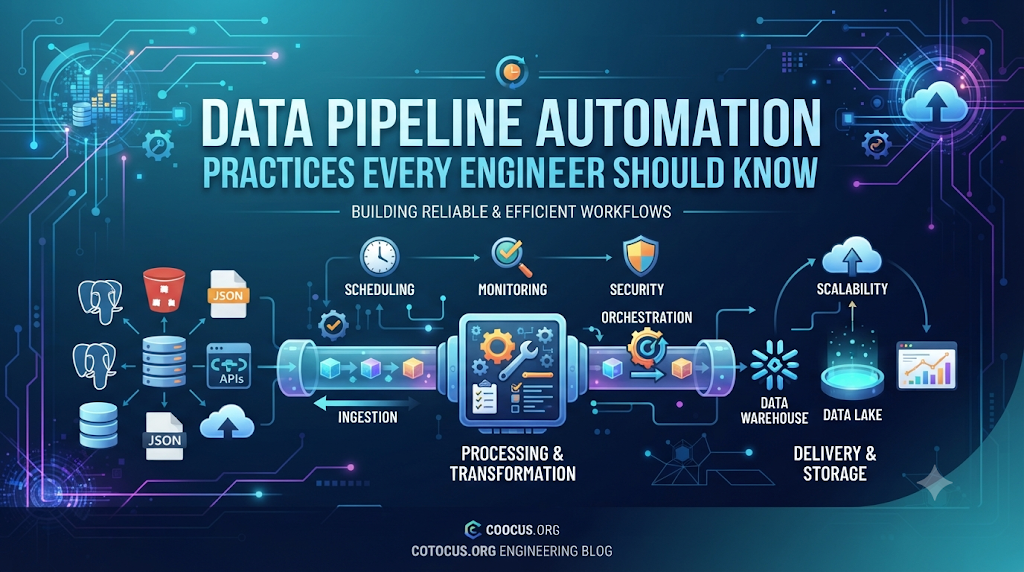
Introduction
Imagine you run a busy restaurant. Every night, you have to collect food orders from every table, carry them to the kitchen, sort them by cooking time, and write down the final sales numbers in a ledger by hand. If the restaurant is small, you can manage. But what happens when you have thousands of tables across the city? Doing this work by hand becomes impossible.
In the digital world, data pipelines do the heavy lifting of moving information from apps, databases, and websites into central storage. But building the pipeline is only half the battle. If you have to trigger every data move manually every single day, your system will soon break down.
Data pipeline automation solves this problem. It sets up rules so data flows smoothly, safely, and on schedule. Whether you are an aspiring developer or a growing professional, understanding these core practices will help you build systems that do not crash when things get messy.
What Is Data Pipeline Automation?
A data pipeline is a set of steps that moves data from one place, changes its format so it is useful, and loads it into another place.
Data pipeline automation means running this entire journey automatically using code and scheduling tools. Instead of an engineer clicking a “run” button every morning, the system knows when new data arrives, triggers the tasks in the correct order, checks for errors, and alerts the team if something breaks.
Why It Matters
Data loses value the longer it sits unused. If a marketing team has to wait three days for yesterday’s sales numbers because a manual script failed to run over the weekend, business decisions get delayed. Automation ensures that data is fresh, trustworthy, and available right when people need it.
How Data Pipeline Automation Works
To understand automation, you need to look at the three main stages of any data pipeline, often called ETL or ELT:
- Extract (Getting the data): Pulling raw data from sources like customer apps, payment gateways, or server logs.
- Transform (Cleaning the data): Fixing mistakes, removing duplicate entries, changing date formats, and organizing the data into neat tables.
- Load (Saving the data): Storing the processed data into a data warehouse or database where analysts and apps can use it.
Automation controls the timing and the handshakes between these steps. For example, a scheduler tells the extraction tool to start at midnight. Once the extraction finishes successfully, it signals the transformation step to begin. If the transformation succeeds, it triggers the final load step.
Why Manual Data Pipelines Fail
Many teams start by writing simple scripts and running them using basic system tools like cron jobs. While this works at a small scale, it quickly leads to trouble:
- Blind Spots: If a script fails silently at 2:00 AM, nobody finds out until an executive asks for a report the next afternoon.
- Dependency Chaos: If Step B requires data from Step A, but Step A is running slow today, Step B might crash because it looks for missing files.
- Scaling Headaches: As your company grows from gigabytes to terabytes of data, manual scripts run out of memory or take too long to finish.
Automation tools fix these problems by adding structure, visibility, and safety nets.
Important Practices Every Engineer Should Know
Building an automated pipeline that actually survives the real world requires following specific engineering principles. Here are the core practices you should apply.
1. Treat Your Pipeline Code Like Software (CI/CD)
Never write pipeline code directly on a live server. Use version control systems like Git to track changes. Set up a Continuous Integration and Continuous Deployment (CI/CD) pipeline—which is an automated system that tests your code for bugs before it gets deployed to your production environment.
2. Design for Idempotency
Idempotency is a big word for a simple and powerful idea: running the same operation multiple times produces the exact same result as running it once, without creating duplicate data or breaking your tables.
- Simple Meaning: If your pipeline runs twice by accident because of a network glitch, it should update or replace the existing data cleanly rather than adding duplicate rows of sales numbers.
- Why It Matters: Networks fail and jobs retry automatically. Idempotent design keeps your data clean even when retries happen.
3. Implement Robust Error Handling and Retries
Things fail in data engineering. Network connections drop, third-party APIs go down for maintenance, and databases run out of temporary storage.
Your automation workflow should not crash on the first small error. Instead, configure intelligent retries with exponential backoff—meaning the system waits a little longer between each retry (e.g., 2 seconds, then 4 seconds, then 8 seconds) to give the troubled service time to recover. If it still fails after a set number of tries, it should pause and send an alert.
4. Separate Compute from Storage
In modern cloud architectures, keep the engine that processes your data separate from where you store it. This allows you to spin up powerful computing power only when your pipeline is actively running, and shut it down immediately afterward. This keeps your cloud bills under control.
5. Monitor Data Quality and Freshness
An automated pipeline can run successfully every day, but still load completely wrong or empty data. This is often called a silent failure.
To prevent this, build automated data quality checks into your pipeline workflow:
- Schema checks: Did a third-party partner suddenly change a column name from
user_idtoaccount_id? - Volume checks: Did today’s data drop to zero rows when it usually has fifty thousand?
- Null checks: Are critical fields suddenly turning up blank?
Practical Example: The Daily Sales Pipeline
Let us look at how these practices come together in a real-world scenario.
Imagine an online shoe store. Every night at 1:00 AM, an automated orchestrator tool kicks off the daily data flow:
- Extraction: The tool pulls order data from the e-commerce database.
- Quality Gate: A quick automated check verifies that the file is not empty and that the columns match expectations.
- Transformation: The script converts all currencies into US dollars and removes test orders placed by employees.
- Loading (Idempotent): The script loads the data into the company’s data warehouse, using an upsert operation (update if it exists, insert if it is new) so duplicate orders are never created.
- Success Alert: A clean confirmation message lands in the engineering team’s Slack channel. If anything fails at step 2 or 3, an alert fires immediately, letting the on-call engineer fix it before morning.
Common Mistakes to Avoid
Even smart engineers fall into common traps when automating data workflows.
| Common Mistake | Why It Happens | Better Approach |
| Hardcoding Credentials | Saving database passwords directly inside the pipeline script for quick testing. | Use secure environment variables or secret management services. |
| Ignoring Data Lineage | Not tracking where data came from or how it was changed along the way. | Use tools that automatically map dependencies and show data flow history. |
| Alert Fatigue | Setting up loud alerts for every minor warning, causing the team to ignore them. | Alert only on actionable failures that impact business data availability. |
| Over-Engineering Early | Building a massive, complex streaming architecture when a simple daily batch job is enough. | Match your architecture to your actual business needs and scale up later. |
Key Terms
- Orchestration: The automated coordination, scheduling, and management of dependent tasks in a data pipeline.
- ETL (Extract, Transform, Load): The traditional process of gathering data, cleaning it, and storing it in a destination.
- Idempotency: The property of a piece of code where running it multiple times yields the exact same outcome as running it once.
- Data Lineage: The lifecycle of data, showing its origin, where it moved, and how it was transformed over time.
- Schema: The blueprint or structural definition of a database table, detailing column names and data types.
- Batch Processing: Processing large groups of data collected over a set period (like an hour or a day) all at once.
- Streaming Data: Processing data in real-time as it is generated event by event.
- Backfill: The process of running historical data through a pipeline, often used after fixing a bug or changing business logic.
Frequently Asked Questions
What is the difference between a cron job and a data orchestrator?
A cron job is a basic time-based scheduler built into operating systems. It runs scripts at fixed times, but it has no idea if the previous step failed, nor can it manage complex dependencies between multiple tasks. A data orchestrator (like Apache Airflow, Dagster, or Prefect) tracks task dependencies, handles retries, provides a visual user interface, and alerts you when things go wrong.
Should I use batch processing or real-time streaming?
It depends entirely on your business needs. If your finance team only needs daily summary reports, a scheduled batch pipeline running once a night is simpler, cheaper, and easier to maintain. If you are building a fraud detection system for credit card swipes, you need real-time streaming data.
How do I secure sensitive data inside a pipeline?
Never store passwords, API keys, or database credentials in your source code. Use dedicated secret managers, encrypt data while it travels across networks and while it sits in storage, and ensure that only authorized service accounts have access to sensitive tables.
What should I do when a pipeline fails in production?
First, check the error logs provided by your orchestrator to find the exact point of failure. Fix the root cause (such as a bad API response or a schema change), test the fix in a staging environment, and then use your orchestrator’s backfill feature to re-run the failed time window cleanly.
How do I know if my data pipeline is performing well?
Track key performance indicators such as job run duration, success rate over time, data freshness (how old is the latest data in the warehouse), and cost efficiency of your cloud computing resources.
Conclusion
Data pipeline automation is what separates fragile scripts from professional data engineering. By focusing on clean code practices, idempotent designs, intelligent error handling, and active monitoring, you can build workflows that run smoothly in the background. Start simple, build reliability into every step, and let your automated systems handle the heavy lifting while you focus on solving bigger problems.

