
Introduction
A small business owner signs up for a cloud server, follows a quick setup guide, and gets their app running within an hour. It feels like a win — until the first monthly bill arrives at three times what they expected, or worse, until they discover a storage folder holding customer data was accidentally left open to the public internet the whole time.
This happens more often than people admit. Cloud platforms are designed to be easy to start using, but that same simplicity hides real complexity underneath — complexity that punishes beginners who don’t know what to check before clicking “deploy.” This article walks through the mistakes that trip up almost everyone starting out with cloud computing: the ones that cost money, the ones that create security holes, and the ones that just cause frustrating downtime. You’ll also get a simple way to check your own setup before it becomes a problem.
What You Need to Know
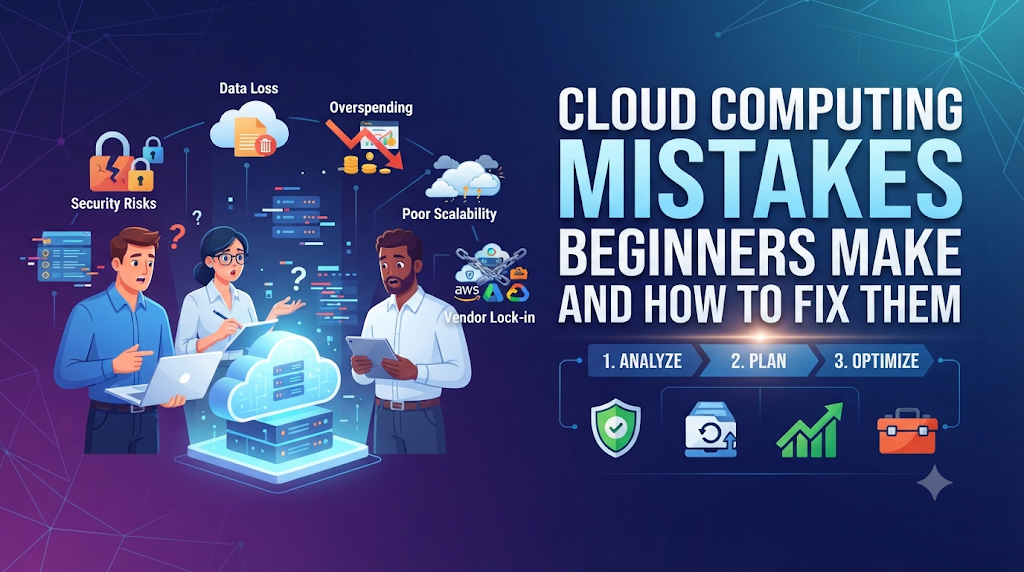
Most beginner cloud computing mistakes fall into three buckets: not understanding how billing actually works (leading to surprise costs), not configuring security correctly (leading to exposed data), and not planning for what happens when something fails (leading to downtime). None of these require advanced skills to avoid — they mostly require knowing what to check before you launch something, not after.
What Makes Cloud Computing Different From What Beginners Expect
Cloud computing means renting computing power, storage, or software over the internet from a provider like AWS, Google Cloud, or Microsoft Azure, instead of buying and maintaining your own physical servers. The appeal is obvious: no upfront hardware cost, and you can scale up or down as needed.
The catch is that “easy to start” doesn’t mean “easy to manage well.” Traditional servers you own have obvious, fixed costs and physical boundaries you can see. Cloud resources are virtual, billed by the second or by usage, and can be created or duplicated with a single click — which is exactly why costs and security settings get out of hand so easily for beginners who don’t yet have a mental model for how any of it actually works.
Mistake 1: Not Understanding How Billing Actually Works
What people do: New users assume a cloud service costs roughly what they saw in a pricing example, without accounting for extra charges like data transfer, storage snapshots, or resources left running after a project ends.
Why they do it: Cloud pricing pages are often built around a specific, simplified example (a single virtual server running one type of workload), which doesn’t reflect how real projects use multiple services together.
Why it causes problems: Costs can multiply quickly through things beginners don’t expect — data transferred out of the cloud provider’s network, unused storage volumes that were never deleted, or a test server left running for weeks after the test was finished.
What to do instead: Set up billing alerts before you start (most providers let you get notified once spending crosses a threshold), and review your bill’s line items — not just the total — during your first few months to understand what’s actually driving cost.
Mistake 2: Leaving Storage or Databases Publicly Accessible
What people do: Beginners create a cloud storage bucket (a place to store files) or a database, and either leave the default access settings unchanged or make it public “just to get something working,” planning to fix the permissions later.
Why they do it: Public access often removes friction during setup and testing, so it’s tempting to leave it that way rather than deal with configuring proper access controls right away.
Why it causes problems: Publicly accessible storage has been behind some of the largest real-world data leaks, because anyone who finds the address of the storage bucket can potentially view or download its contents.
What to do instead: Set storage and databases to private by default, and only open specific access when there’s a clear, tested reason to. Most cloud providers also offer a free security-scanning tool that flags publicly accessible resources — running one early is worth the few minutes it takes.
Mistake 3: Using One Account With Full Admin Access for Everything
What people do: A beginner creates a single account with full administrative permissions and uses it for every task — building, testing, and even running everyday scripts.
Why they do it: Setting up separate accounts with limited permissions for different tasks feels like unnecessary extra work when you’re just trying to get something running.
Why it causes problems: If that single account’s credentials are ever exposed — through a leaked file, a phishing email, or a mistake in code shared publicly — anyone who gets access can control your entire cloud environment.
What to do instead: Create separate accounts or roles with only the permissions each task actually needs, a practice called the principle of least privilege — giving access to only what’s necessary, nothing more. Reserve full admin access for rare, deliberate tasks.
Mistake 4: Ignoring Region and Data Location Settings
What people do: Beginners pick whatever cloud region is selected by default, without checking where their data will physically be stored.
Why they do it: Region selection often appears as a minor dropdown menu during setup, easy to overlook when focused on getting the main task done.
Why it causes problems: Some industries and countries have legal requirements about where certain types of data can be stored. Choosing the wrong region can create compliance problems, and it can also add unnecessary delay (latency) if your users are far from the server’s physical location.
What to do instead: Check your specific legal or business requirements before choosing a region, and pick a region physically close to most of your users to reduce delay.
Mistake 5: Not Planning for What Happens When Something Fails
What people do: A beginner builds their entire application on a single server or database instance, assuming it will simply keep running.
Why they do it: Redundancy (having backup systems ready to take over if one fails) adds cost and complexity that feels unnecessary during initial development.
Why it causes problems: Cloud providers occasionally have outages, and hardware or software issues can happen at any layer. Without any backup plan, a single failure can take your entire application offline with no quick way to recover.
What to do instead: For anything beyond a small test project, use basic redundancy features most cloud providers offer, like automated backups and the option to run resources across multiple physical locations (called availability zones).
Mistake 6: Overprovisioning Resources “Just to Be Safe”
What people do: New users select a much larger, more powerful (and more expensive) server than their project actually needs, assuming bigger is automatically better.
Why they do it: Without experience estimating actual usage, it feels safer to overestimate than risk running out of capacity.
Why it causes problems: Cloud resources are billed continuously, so an oversized server running 24/7 quietly wastes money every single day, often without anyone noticing until a much larger bill arrives.
What to do instead: Start with a smaller resource size based on realistic expected usage, monitor actual performance, and scale up only if you see real signs of hitting capacity limits. Most providers also offer auto-scaling, which adjusts resources automatically based on real demand.
Mistake 7: Forgetting to Turn Off Unused Resources
What people do: After finishing a test, demo, or temporary project, beginners often forget to delete or shut down the cloud resources they created for it.
Why they do it: Once a task feels “done,” there’s no obvious visual reminder that a virtual server or storage volume is still running somewhere and quietly costing money.
Why it causes problems: Unlike a physical computer you’d notice sitting on a desk, forgotten cloud resources are invisible until the monthly bill arrives, and this is one of the single most common sources of unexpected cloud costs for beginners.
What to do instead: Build a habit of reviewing your active resources regularly, and consider tagging temporary resources clearly so they’re easy to identify and clean up later.
Real-World Example: How Small Mistakes Add Up
Imagine a student building a portfolio website as a class project. They create a database with public access to make testing easier, choose an oversized server “to be safe,” and forget to shut down a testing environment after the semester ends. Individually, none of these choices feels serious in the moment. Together, they can result in an exposed database, a monthly bill far higher than expected, and a forgotten resource running unnecessarily for months. This is a hypothetical example, but it reflects a very common pattern — small individual shortcuts compounding into a real problem.
Trade-Offs Beginners Should Understand
Cloud computing constantly involves a trade-off between convenience and control. Public access is convenient but risky. A single admin account is convenient but dangerous if compromised. A larger server avoids capacity worries but wastes money if unused. None of these trade-offs have a single “correct” answer for every situation — the right choice depends on what you’re building, who will use it, and how sensitive your data is. The mistake isn’t making a trade-off; it’s making one without realizing you made it.
A Simple Framework for Avoiding These Mistakes
- Before launching anything, ask: who actually needs access to this, and does the default setting match that?
- Set a spending alert immediately, even before your project has real usage, so unexpected costs get caught early.
- Choose resource size based on realistic expected use, not worst-case guessing.
- Check your region setting against both legal requirements and where your users actually are.
- Plan for at least basic failure recovery — backups, at minimum — before treating a project as production-ready.
- Schedule a regular review (weekly or monthly, depending on project size) to check for unused resources and unexpected charges.
Checklist Before You Launch a Cloud Project
- Have you set up a billing alert before starting?
- Are your storage and databases set to private by default?
- Have you created limited-permission accounts instead of using one all-access account for everything?
- Have you checked your region setting for both compliance and speed reasons?
- Do you have at least a basic backup or recovery plan in place?
- Have you set a reminder to review and clean up unused resources?
Key Terms to Know
- Cloud region: The physical location where your cloud provider’s data centers store and process your data.
- Storage bucket: A container used to store files in cloud storage, which can be set to private or public.
- Principle of least privilege: Giving each account or task only the access it actually needs, nothing more.
- Availability zone: A separate physical location within a cloud region, used to keep services running if one location has an issue.
- Auto-scaling: A feature that automatically adjusts computing resources up or down based on real-time demand.
- Data transfer cost: Fees charged for moving data out of a cloud provider’s network, often overlooked by beginners.
- Redundancy: Having backup systems in place so a single failure doesn’t take everything offline.
- Latency: The delay between a user’s request and the system’s response, often affected by physical distance to the server.
Frequently Asked Questions
Why did my cloud bill turn out much higher than expected?
This usually comes from unexpected sources like data transfer fees, unused resources left running, or an oversized server — not from the main service you intentionally set up. Reviewing your bill’s line items, not just the total, usually reveals the cause.
Is it safe to use the default settings when setting up a cloud service?
Not always. Default settings often prioritize ease of setup over security, so it’s worth checking access permissions and region settings rather than assuming defaults are the safest choice.
Do I need to know how to code to avoid these cloud mistakes?
No. Most of these mistakes are about configuration and habits — checking settings, setting alerts, cleaning up unused resources — rather than programming skill.
What’s the fastest way to check if I’ve made a security mistake?
Most major cloud providers offer a free built-in security or configuration review tool that flags common issues like publicly accessible storage — running one early takes just a few minutes.
How much redundancy do I actually need for a small project?
For a small test or learning project, minimal redundancy may be fine. For anything handling real users or real data, at least basic backups and multi-location redundancy are worth the extra setup effort.
Is a bigger cloud server always safer than a smaller one?
No. A bigger server just means more unused capacity sitting idle and costing more money if your actual usage doesn’t need it. Size should match realistic expected demand, not a general sense of “just in case.”
Can forgetting to delete a test resource really cost that much?
Yes — a forgotten server or database running continuously for months, even a small one, can add up to a meaningful and completely unnecessary cost over time.
What’s the single most important habit for a cloud beginner to build?
Regularly reviewing what resources are actually running and who has access to what — most cloud problems, whether cost or security related, trace back to something that was set up once and never checked again.
Conclusion
Almost every common cloud computing mistake beginners make comes down to the same root cause: something was configured quickly to get a task done, and nobody went back to check it. Public access left on, an oversized server left running, a single all-access account used for everything — none of these are complicated to avoid once you know to look for them.
The habit that prevents most of these problems isn’t a technical skill — it’s a regular review. Set your billing alert today, check who has access to what, and make reviewing your active resources a routine, not an afterthought.

