
Introduction
A beginner entering the IT industry often discovers that knowing one programming language, operating system, or cloud service is no longer enough to understand how modern digital products are delivered. A developer may write working code but struggle to deploy it safely, while a system administrator may manage servers without understanding automated software delivery. Testers, support engineers, security professionals, and cloud specialists may also work in separate environments, creating delays and communication gaps. This is where DevOps becomes important. DevOps is not simply a job title or a collection of popular tools; it is a practical way of connecting people, processes, automation, infrastructure, security, and continuous improvement. Understanding why DevOps skills are important for modern IT careers helps beginners make better learning decisions instead of randomly studying Docker, Kubernetes, Jenkins, or cloud platforms without knowing how those technologies fit together. Poor planning can lead to wasted course fees, unfinished projects, weak interview preparation, and unrealistic expectations about salaries or job readiness. A practical DevOps learning path begins with fundamentals such as Linux, networking, Git, scripting, and application delivery before moving toward containers, CI/CD, cloud services, infrastructure as code, observability, security, and orchestration. This blog explains those areas in a structured and beginner-friendly way. It is useful for students, developers, system administrators, testers, support professionals, cloud learners, career changers, technical managers, and anyone trying to understand modern IT operations. The goal is not to sell a shortcut or promise immediate employment. The goal is to help readers develop useful skills, create evidence of practical work, understand operational risks, and build a career plan based on consistent learning. DevOps careers reward people who can solve delivery problems, automate repeatable work, communicate clearly, investigate failures, and improve systems over time. A strong foundation therefore matters more than rushing through dozens of tools.
What is DevOps Skills ?
DevOps skills are the technical, operational, collaborative, and problem-solving abilities used to build, test, release, operate, monitor, secure, and improve software systems.
The word combines development and operations, but practical DevOps work includes more than these two functions. It may involve testing, security, networking, cloud infrastructure, database operations, compliance, support, reliability, and product teams.
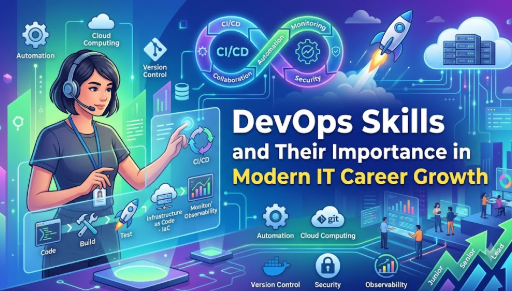
A simple software delivery process may look like this:
- A developer changes application code.
- The change is stored in a Git repository.
- Automated checks test the code.
- A delivery pipeline builds the application.
- Infrastructure is prepared or updated.
- The application is deployed.
- Monitoring tools observe its performance.
- The team investigates problems and improves the process.
DevOps skills help people understand and automate this complete flow.
People search for DevOps skills because organizations increasingly need faster, repeatable, secure, and dependable ways to deliver software. Manual deployments, undocumented server changes, and isolated teams can make releases slow and risky. DevOps practices reduce these problems by encouraging automation, version control, shared responsibility, measurable feedback, and continuous improvement.
Consider a beginner-friendly example. A developer creates a small web application and manually copies it to a server. This may work once, but future updates can become confusing. A better approach is to store the code in Git, use an automated pipeline to test it, package it in a container, deploy it consistently, and monitor the running service.
A common misunderstanding is that DevOps means learning as many tools as possible. Tools are useful, but employers generally need professionals who understand problems and can choose suitable solutions. Learning ten commands in Kubernetes without understanding containers, networking, deployment health, and troubleshooting does not create strong practical ability.
The practical takeaway is simple: learn DevOps as a connected delivery system, not as an unrelated list of technologies.
Why DevOps Skills Are Important for Modern IT Careers
Modern applications may serve customers across websites, mobile applications, business platforms, data systems, and cloud environments. These services must be updated regularly without creating unnecessary downtime, security weaknesses, or inconsistent infrastructure.
DevOps skills are important because they help professionals contribute across the software delivery lifecycle.
Better Career Flexibility
DevOps knowledge can support careers in software development, cloud engineering, platform engineering, site reliability engineering, automation, security, infrastructure operations, release management, and technical support.
A professional does not need to become an expert in every area. However, understanding how these areas connect makes it easier to collaborate and move into related roles.
Stronger Automation Ability
Repeated manual tasks consume time and increase the possibility of inconsistent results. Scripting, pipelines, configuration management, and infrastructure as code allow teams to automate predictable work.
The common mistake is automating a process before understanding it. The better approach is to document the manual process, identify repeatable steps, test the automation in a safe environment, and add recovery options.
Improved Software Delivery
DevOps practices help teams make smaller, controlled, and repeatable changes. Automated tests and deployment checks can identify problems earlier than large manual releases.
This does not mean every deployment becomes risk-free. It means teams can create better controls, feedback, and recovery procedures.
Greater Operational Awareness
Developers with operational knowledge can understand how their applications behave after deployment. Operations professionals with development knowledge can automate infrastructure and contribute to delivery pipelines.
This shared awareness reduces the habit of transferring problems from one team to another without investigation.
Better Financial and Resource Decisions
DevOps also affects business costs. Poorly managed cloud resources, failed releases, repeated manual work, and long outages can consume money and employee time.
Professionals who understand cloud usage, automation, monitoring, capacity, and lifecycle management can help teams make more responsible technical decisions.
Practical Scenario
Imagine a company releasing an application update every month through a long manual process. Deployments regularly fail because environments are configured differently. A DevOps-focused team places configuration in version control, creates repeatable infrastructure, adds automated testing, and monitors deployment health. The goal is not simply faster delivery. It is a more visible, controlled, and recoverable process.
The Real Problems Readers Face While Learning DevOps
The biggest difficulty is usually not a lack of learning material. It is the excessive amount of disconnected advice.
Beginners often see roadmaps containing dozens of tools and assume they must master everything before applying for a role. This creates confusion, comparison pressure, and unfinished learning.
Lack of Foundational Knowledge
Some learners begin with Kubernetes before understanding Linux processes, ports, files, permissions, networking, containers, and application deployment. They may copy commands successfully but cannot explain or troubleshoot the result.
A better approach is to build skills in layers.
Tool-Centred Learning
Marketing content may present one tool as the answer to every DevOps problem. In reality, tools are selected according to team size, application architecture, existing systems, security requirements, cost, and operational complexity.
Learners should first understand the problem category, such as source control, automated testing, deployment, provisioning, monitoring, or secrets management.
Passive Course Consumption
Watching videos creates familiarity, but familiarity is not the same as practical ability. A learner may recognize a command and still be unable to use it independently.
Every learning module should produce an output, such as a script, repository, pipeline, container image, infrastructure template, dashboard, troubleshooting note, or architecture explanation.
Unrealistic Career Expectations
Some learners expect a single certificate or short course to guarantee a DevOps role. DevOps positions often require a combination of technical foundations, practical evidence, communication ability, and troubleshooting experience.
Certificates can support learning, but they should not replace projects and clear understanding.
Depending Only on Social Media Advice
Short posts may provide useful ideas, but they cannot always explain prerequisites, trade-offs, security concerns, or production risks. Copying commands from unknown sources can also expose systems or credentials.
The better approach is to use official documentation, safe practice environments, structured courses, and verified examples.
Not Knowing the Next Step
A learner may study Linux one week, cloud services the next, and Kubernetes after that without completing a connected project. A written roadmap with milestones solves this problem better than continuously changing resources.
How to Build DevOps Skills Step by Step
Step 1: Build Computer, Linux, and Networking Foundations
Start by understanding files, directories, users, permissions, processes, services, logs, packages, storage, environment variables, IP addresses, ports, DNS, HTTP, SSH, and basic troubleshooting. These concepts matter because most DevOps tools operate on top of operating systems and networks. Apply the knowledge by creating a Linux virtual machine, installing a web server, managing a service, reviewing logs, and testing network connectivity. A common mistake is memorizing commands without understanding their output. A better approach is to document what each command checks, what a normal result looks like, and what action should follow an error.
Step 2: Learn Git and Collaborative Source Control
Git records changes to source code, scripts, pipeline definitions, and infrastructure files. Learn repositories, commits, branches, merges, pull requests, tags, conflict resolution, and rollback concepts. Create a repository for a small application or automation project and use meaningful commits to track progress. Beginners often copy Git commands without understanding local and remote history. A better approach is to practise common workflows, intentionally create a merge conflict, resolve it, and explain how version control protects collaborative work.
Step 3: Learn Scripting and Basic Programming Logic
Automation requires the ability to express instructions clearly. Bash, Python, or another suitable language can help with file processing, API calls, system checks, deployment tasks, and report generation. Begin with variables, conditions, loops, functions, error handling, input validation, and exit codes. A practical example is a script that checks disk usage and writes a clear status message. The common mistake is writing large scripts without validation or failure handling. Build small, testable scripts and log important actions instead.
Step 4: Understand Application Build, Testing, and CI/CD
Continuous integration and continuous delivery connect code changes with automated validation and release processes. Learn how applications are built, how dependencies are managed, how tests run, and how pipeline stages control progress. Create a pipeline that checks code, runs tests, builds an artifact, and records the result. A frequent mistake is creating a visually impressive pipeline that does not detect meaningful failures. The better approach is to begin with a small pipeline, make every stage purposeful, and ensure failed checks stop unsafe progression.
Step 5: Learn Containers Before Container Orchestration
Containers package applications with the dependencies needed to run them consistently. Learn images, containers, registries, ports, volumes, networks, environment variables, image layers, and Dockerfile practices. Package a small application, run it locally, persist its data, and inspect its logs. The common mistake is treating containers like lightweight virtual machines and placing unnecessary components inside one image. A better approach is to create focused images, use trusted base images, avoid embedding secrets, and understand the application’s runtime requirements.
Step 6: Learn Cloud and Infrastructure as Code
Cloud platforms provide computing, storage, networking, identity, databases, monitoring, and managed services. Start with core concepts instead of trying to learn every service. Then use infrastructure as code to define resources in version-controlled files. A practical project could provision a network, a compute instance, security rules, and storage in a controlled lab account. A serious beginner mistake is creating resources without understanding cost, access permissions, or deletion procedures. The better approach is to use budgets, least-privilege access, naming standards, state management, and a documented cleanup process.
Step 7: Add Monitoring, Security, Reliability, and Troubleshooting
A deployment is incomplete if the team cannot understand whether the application is healthy. Learn logs, metrics, traces, alerts, service-level thinking, incident response, access control, vulnerability awareness, backups, and recovery. Create a simple dashboard and an alert based on a meaningful service condition. A common mistake is creating many alerts that provide no actionable information. A better approach is to monitor user-facing behaviour, define ownership, document response steps, and review what was learned after each failure.
Step 8: Create Integrated Projects and Communicate the Results
Combine your abilities into a project that includes source control, testing, containers, a delivery pipeline, infrastructure, monitoring, security checks, and documentation. The project matters because employers need evidence that you can connect concepts. A common mistake is copying a complete project without understanding its architecture. Build a smaller system yourself, explain every decision, record limitations, and describe how you would improve it for a larger environment.
Key Factors That Influence DevOps Career Growth
Strength of Fundamentals
Linux, networking, Git, scripting, and software delivery concepts provide the base for advanced tools. Weak foundations make troubleshooting slow and increase dependence on copied instructions.
Practical Experience
Experience does not only mean paid employment. Structured labs, personal projects, volunteer work, internships, internal automation, and documented simulations can demonstrate learning.
The evidence should show what problem you solved, how you tested the solution, what failed, and what you improved.
Troubleshooting Ability
Production systems do not always fail in obvious ways. A DevOps professional must gather evidence from logs, metrics, configurations, network tests, recent changes, and system behaviour.
Randomly restarting services may temporarily hide the problem. A better approach is to form a hypothesis, test it, record findings, and make reversible changes.
Communication Skills
DevOps work involves developers, testers, operations teams, security specialists, managers, and business stakeholders. Professionals must explain technical risks, incidents, dependencies, and decisions clearly.
Strong communication is especially important during failures, when unclear messages can increase confusion.
Security Awareness
Automation can make a safe process faster, but it can also spread unsafe configuration quickly. Identity, permissions, secrets, dependencies, image sources, network exposure, and audit records must be considered.
Security should be integrated into normal work rather than added only before release.
Cloud Cost Awareness
Cloud resources are easy to create, but forgotten services may continue consuming budget. Professionals should understand resource ownership, tagging, usage monitoring, scaling, storage lifecycle, and cleanup.
Depth and Breadth
DevOps careers require broad awareness, but professionals also need deeper ability in selected areas. One person may specialize in cloud infrastructure, while another focuses on CI/CD, reliability, security automation, or platform engineering.
The better career approach is often broad foundations with one or two stronger specializations.
Consistency
Short periods of intense study followed by long gaps are less effective than regular practice. Weekly milestones, project updates, revision, and written notes help retain knowledge.
Detailed Breakdown of Important DevOps Skills
Linux and System Administration
Linux knowledge helps professionals manage processes, files, permissions, services, logs, storage, packages, and system resources.
Beginners should learn how applications start, where configuration is stored, how permissions affect access, and how logs support investigation. The goal is not memorizing hundreds of commands. It is understanding how to inspect and control a running system.
A useful exercise is to install an application, configure it as a service, restrict access, review logs, and recover it after an intentional configuration error.
Networking Fundamentals
Applications depend on communication between users, services, databases, APIs, and external systems. DevOps learners should understand IP addressing, ports, routing, DNS, HTTP, TLS, proxies, firewalls, and load balancing at a practical level.
A common mistake is assuming that an application error must be caused by application code. The real cause may be DNS, an expired certificate, a closed port, an incorrect route, or a security rule.
Version Control
Git is not limited to application code. Pipeline configurations, scripts, documentation, infrastructure files, monitoring rules, and policy definitions can also be version controlled.
Good practices include focused commits, clear messages, reviewed changes, protected branches, and safe handling of sensitive information.
Secrets should never be deliberately stored in a repository. Removing a visible secret from the latest file may not remove it from repository history.
Scripting and Automation
Scripting turns repeated actions into consistent processes. Useful automation may validate configuration, collect information, manage files, call APIs, create reports, or coordinate deployment steps.
Reliable scripts should check inputs, handle errors, provide useful output, use safe defaults, and avoid damaging actions without confirmation.
Continuous Integration and Continuous Delivery
CI/CD pipelines create a repeatable path from code change to validated release. They may include formatting checks, unit tests, security scans, builds, artifact storage, approvals, deployment, health checks, and rollback.
The pipeline should reflect actual delivery risk. Adding many stages without clear purpose makes maintenance harder. Each stage should answer a meaningful question, such as whether the code works, whether the artifact is trusted, or whether the deployment is healthy.
Containers
Containers improve packaging consistency, but they do not remove the need for security, observability, storage planning, or resource management.
Learners should understand how images are built, how containers communicate, how data persists, and how applications receive configuration. Images should be kept focused and updated when dependencies or security fixes change.
Container Orchestration
Tools such as Kubernetes manage containerized applications across multiple machines. Important concepts include pods, deployments, services, configuration, secrets, scheduling, health checks, scaling, storage, networking, and access control.
Kubernetes should be learned after container fundamentals. Otherwise, learners may use high-level commands without understanding what the platform is managing.
Cloud Computing
Cloud skills include more than launching virtual machines. Professionals need awareness of identity, networking, storage, databases, monitoring, automation, shared responsibility, cost, availability, and data protection.
A beginner should learn one cloud platform deeply enough to build and explain a complete project before trying to memorize services across several providers.
Infrastructure as Code
Infrastructure as code uses files to define and manage infrastructure. It improves repeatability, reviewability, and consistency when used carefully.
Learners should understand state, dependencies, modules, variables, plans, drift, secret handling, and change review. Running infrastructure changes without reviewing the proposed result can create outages or unexpected costs.
Configuration Management
Configuration management helps maintain consistent settings across systems. It can install software, manage users, update files, configure services, and enforce desired states.
The common mistake is using automation to hide poor configuration design. Clear standards and reusable roles are better than long, duplicated task lists.
Observability
Observability helps teams understand internal system behaviour through logs, metrics, traces, events, dashboards, and contextual information.
Collecting data is not enough. Teams must know what questions the data can answer. Useful monitoring focuses on service health, user impact, dependencies, capacity, errors, and meaningful change.
DevSecOps
DevSecOps integrates security activities into planning, coding, building, testing, deployment, and operations. Examples include dependency checks, secret detection, image scanning, access reviews, policy checks, and secure configuration.
Automated tools support security, but they do not replace judgement. Findings must be reviewed according to context and actual risk.
Reliability and Incident Response
Reliable systems require preparation for failure. Professionals should understand backups, recovery, redundancy, capacity, health checks, rollback, incident communication, and post-incident learning.
The goal of an incident review is not to find someone to blame. It is to understand contributing conditions and reduce the chance or impact of similar failures.
Collaboration and Documentation
A technically correct system can still fail operationally when responsibilities, procedures, dependencies, and recovery steps are unclear.
Useful documentation should be current, specific, searchable, and tested. Runbooks, architecture notes, onboarding guides, and troubleshooting records reduce dependence on individual memory.
Common DevOps Learning Mistakes
Following Random Tool Lists
This happens because learners fear missing an important technology. It creates shallow knowledge and unfinished projects. Choose tools according to a connected project and understand the problem each tool solves.
Ignoring Linux and Networking
Advanced platforms still depend on operating systems and networks. Skipping these foundations makes errors difficult to diagnose. Practise services, processes, logs, ports, DNS, and permissions before moving into complex platforms.
Copying Projects Without Understanding Them
Copied repositories may produce a working demonstration but weak interview performance. Rebuild the project in smaller stages, change its architecture, introduce a failure, and explain the recovery.
Treating Certificates as Guaranteed Employment
Certificates can provide structure and demonstrate exam preparation, but they do not automatically prove practical experience. Combine certification study with documented projects and troubleshooting exercises.
Avoiding Programming Completely
DevOps roles may not require advanced software development, but basic logic and scripting are essential for automation. Learn to read code, use APIs, process data, and handle failures.
Ignoring Security
Public repositories, over-permissive cloud roles, exposed ports, and hard-coded secrets can create serious risks. Use safe lab environments and apply least-privilege principles from the beginning.
Creating Cloud Resources Without Cost Controls
Learners may forget running instances, storage, snapshots, databases, or network resources. Set budgets, monitor usage, label resources, and delete unused components after practice.
Learning Without Documentation
Unrecorded commands are quickly forgotten and difficult to explain. Maintain a learning journal containing goals, commands, errors, solutions, architecture decisions, and improvement ideas.
Applying for Roles Without Evidence
A résumé listing many tools may not show practical ability. Link each important skill to a project, responsibility, improvement, or measurable technical outcome.
Ignoring Non-Technical Skills
DevOps involves communication, prioritization, documentation, collaboration, and calm incident response. Practise explaining technical work to both technical and non-technical audiences.
“Don’t Do This” Checklist
- Do not begin with complex orchestration before learning containers.
- Do not expose cloud services publicly without understanding access controls.
- Do not place passwords, tokens, or private keys in repositories.
- Do not run copied scripts with elevated permissions without reviewing them.
- Do not collect certificates without creating practical evidence.
- Do not claim production experience that you do not have.
- Do not automate a process that you cannot explain manually.
- Do not ignore failed tests or security warnings merely to complete a demo.
- Do not use expensive cloud resources without budgets and cleanup plans.
- Do not study tools randomly without a written learning sequence.
- Do not hide project failures; document what they taught you.
- Do not assume one DevOps tool is suitable for every organization.
Practical Real-Life Examples of DevOps Skills
Example 1: A Developer Facing Deployment Problems
Situation: A junior developer builds a working web application but manually uploads every update to a server.
Challenge: Files are occasionally missed, and rollback is unclear.
Better action: The developer creates a Git-based pipeline that tests, packages, and deploys the application consistently.
Learning: Development ability becomes more valuable when combined with repeatable delivery knowledge.
Example 2: A System Administrator Managing Repeated Tasks
Situation: An administrator creates users and installs software manually on multiple servers.
Challenge: Configurations gradually become inconsistent.
Better action: The administrator documents the desired configuration and automates repeatable tasks through scripts or configuration management.
Learning: Automation should create consistency while preserving validation and review.
Example 3: A Tester Joining a CI/CD Process
Situation: A tester performs important checks only at the end of a release cycle.
Challenge: Defects are discovered late and delay deployment.
Better action: The tester helps add suitable automated checks to the continuous integration pipeline while keeping exploratory testing for complex behaviour.
Learning: DevOps does not eliminate testing roles; it helps testing happen earlier and more continuously.
Example 4: A Cloud Learner Managing Cost Risk
Situation: A beginner creates several cloud services for practice.
Challenge: Some resources remain active after the exercise.
Better action: The learner creates a budget alert, uses clear resource tags, follows a cleanup checklist, and reviews the billing dashboard.
Learning: Responsible cloud use includes cost awareness, ownership, and lifecycle management.
Example 5: A Support Engineer Improving Incident Response
Situation: A support engineer repeatedly receives reports that an application is slow.
Challenge: The team has limited logs and no clear performance baseline.
Better action: The engineer helps define meaningful metrics, centralize logs, and document investigation steps.
Learning: Observability and structured troubleshooting can create a path from support work into reliability or DevOps roles.
Two Useful Tables for Better Understanding
Table 1: Traditional Siloed Work and DevOps-Oriented Work
| Area | Siloed Approach | DevOps-Oriented Approach |
|---|---|---|
| Code changes | Passed between separate teams | Shared through version control and review |
| Testing | Performed mainly near release | Integrated throughout the delivery process |
| Deployment | Manual and dependent on individuals | Automated, repeatable, and observable |
| Infrastructure | Changed directly with limited records | Defined, reviewed, and version controlled |
| Security | Checked late | Considered across the delivery lifecycle |
| Incidents | Focused on immediate restoration only | Restored, investigated, documented, and improved |
| Ownership | Problems transferred between teams | Teams share responsibility for service outcomes |
| Feedback | Slow and fragmented | Continuous feedback from pipelines and operations |
Table 2: DevOps Skill Areas and Practical Evidence
| Skill Area | Beginner Practice | Evidence to Create |
|---|---|---|
| Linux | Configure and manage a service | Setup guide and troubleshooting notes |
| Git | Use branches and resolve conflicts | Repository with meaningful history |
| Scripting | Automate a system check | Tested script with error handling |
| CI/CD | Build a multi-stage pipeline | Pipeline file and execution screenshots |
| Containers | Package a small application | Dockerfile and usage documentation |
| Cloud | Deploy a controlled lab environment | Architecture diagram and cleanup guide |
| Infrastructure as Code | Provision repeatable resources | Version-controlled templates |
| Monitoring | Create a service dashboard | Dashboard explanation and alert logic |
| Security | Add basic scanning and secret checks | Documented findings and remediation |
| Reliability | Simulate and recover from failure | Incident report and improvement actions |
Tools, Methods, and Frameworks Readers Can Use
DevOps Learning Roadmap
A roadmap organizes prerequisites, skill groups, practice projects, and review milestones. Beginners can divide learning into foundations, automation, delivery, cloud, infrastructure, observability, security, and advanced operations.
It prevents the mistake of switching tools every few days without completing a usable outcome.
Skills Matrix
A skills matrix lists areas such as Linux, Git, scripting, CI/CD, containers, cloud, infrastructure as code, monitoring, and security. Rate each area honestly as unfamiliar, basic, practical, or confident.
Review it monthly and attach evidence to each rating. This prevents vague claims such as “I know Kubernetes” without a clear definition of what that means.
Project-Based Learning
Choose one application and improve its delivery system gradually. Begin with manual deployment, then add version control, testing, containers, CI/CD, infrastructure, monitoring, and security checks.
This method shows how tools connect and helps avoid isolated command practice.
Troubleshooting Journal
Record the issue, symptoms, evidence, hypothesis, tests, cause, solution, and prevention. This builds a repeatable investigation habit.
It also creates strong interview examples because the learner can explain not only what worked but how the problem was analysed.
Architecture Diagram
A simple diagram should show users, application services, network boundaries, data stores, delivery pipelines, monitoring, and external dependencies.
Creating the diagram reveals missing understanding and reduces the mistake of deploying systems that cannot be explained.
Runbook
A runbook provides clear instructions for common operational tasks or incidents. It should include prerequisites, checks, actions, rollback, escalation, and validation.
Beginners can create runbooks for service restart, failed deployment, disk usage, certificate renewal, or backup verification.
Version-Controlled Portfolio
Store projects, scripts, infrastructure files, pipeline definitions, and documentation in organized repositories. Include a README explaining the problem, architecture, setup, security considerations, limitations, and lessons.
A good portfolio demonstrates reasoning rather than merely displaying tool names.
Weekly Review Method
At the end of each week, answer four questions:
- What did I learn?
- What did I build?
- What failed?
- What will I improve next?
This prevents passive learning and keeps progress connected to practical results.
Expert Tips for Better DevOps Career Decisions
1. Learn Problems Before Tools
Understand whether the problem involves source control, configuration, testing, provisioning, deployment, monitoring, or security. This matters because tools change, while problem-solving concepts remain useful. Before studying a platform, write down the problem it solves and the alternatives.
2. Build Strong Foundations
Linux, networking, Git, and scripting may appear less exciting than advanced cloud platforms, but they support nearly every DevOps workflow. Allocate regular practice time to processes, logs, permissions, ports, DNS, APIs, and automation logic.
3. Complete One Connected Project
A finished project with clear documentation is generally more useful than several incomplete demonstrations. Select a simple application and build its delivery lifecycle gradually. Record decisions, failures, risks, and improvements.
4. Practise Failure Safely
Troubleshooting improves when learners observe real errors. Break a configuration, stop a service, change a port, fail a test, or remove a dependency in a controlled lab. Then diagnose the issue through evidence rather than random commands.
5. Treat Documentation as a Technical Skill
Clear documentation improves repeatability, onboarding, incident response, and collaboration. Write setup instructions that another learner can follow without asking you to fill missing steps.
6. Keep Security Inside Every Project
Do not wait for an advanced security module. Use safe permissions, protected credentials, dependency checks, trusted images, and restricted network access from the beginning. Explain the security decisions in the project documentation.
7. Track Cloud Costs
Create budget alerts and cleanup procedures before provisioning resources. Review all active services after every lab session. Cost awareness shows operational maturity and prevents avoidable financial loss.
8. Use Version Control for More Than Code
Store scripts, infrastructure files, pipelines, documentation, and monitoring definitions in repositories. This creates history, review, rollback, and accountability across the project.
9. Learn to Explain Trade-Offs
Technical decisions rarely have one universal answer. Be prepared to explain why you selected a tool, what alternatives existed, what limitations remain, and when another approach would be better.
10. Develop Communication During Incidents
Practise writing concise incident updates that explain impact, current findings, actions, risks, and the next review point. Avoid blame and unsupported conclusions. Calm communication is an important reliability skill.
11. Avoid Inflating Your Résumé
List technologies you can explain and demonstrate. Interviewers may ask detailed questions about architecture, failures, permissions, networking, or recovery. Honest skill descriptions create stronger trust than long unsupported lists.
12. Review Your Learning Monthly
Use a skills matrix and project evidence to identify genuine progress. Remove topics that do not support your current goal and strengthen weak prerequisites before adding advanced tools.
13. Study Job Descriptions Carefully
Compare several roles rather than copying the requirements of one vacancy. Identify repeated skills, role-specific expectations, and experience levels. Use the findings to adjust your roadmap without trying to learn every listed technology.
14. Build Depth in One Area
After learning broad foundations, develop deeper expertise in an area such as cloud infrastructure, CI/CD, platform engineering, reliability, security automation, or observability. This creates a clearer professional identity.
15. Focus on Continuous Improvement
DevOps is not a one-time implementation. Review pipelines, incidents, costs, lead times, security findings, and manual work regularly. Small improvements made consistently are more sustainable than large changes without ownership.
Case Studies: How Better Understanding Changes Career Decisions
Case Study 1: The Student Who Started With Kubernetes
Profile: A final-year computer science student wanted a DevOps role and immediately started learning Kubernetes.
Situation: The student could create basic resources by copying commands but could not explain ports, container networking, process failures, storage, or service discovery.
Problem: Advanced learning was built on weak Linux, networking, and container foundations.
Wrong approach: The student continued collecting Kubernetes examples and planned to add the tool to a résumé.
Better approach: The student paused orchestration study, practised Linux services and networking, containerized a simple application, reviewed logs, and then returned to Kubernetes with a clearer understanding.
Result or learning: Kubernetes concepts became easier because the student could connect them with application and infrastructure behaviour. The main benefit was not a guaranteed job; it was more accurate understanding and stronger project explanations.
Key takeaway: Returning to fundamentals is progress when it removes hidden weaknesses.
Case Study 2: The Administrator Moving Toward Automation
Profile: A system administrator had several years of experience managing servers manually.
Situation: The administrator wanted to move into a DevOps role but believed a complete career restart was necessary.
Problem: Existing operational experience was not connected to automation, version control, or modern delivery practices.
Wrong approach: The administrator initially ignored previous experience and studied unrelated tools without a project.
Better approach: Repeated server tasks were documented and converted into scripts and configuration definitions. Changes were stored in Git, tested in a lab, and explained through a portfolio.
Result or learning: The administrator developed practical automation evidence while using existing strengths in operating systems, troubleshooting, access control, and incident response.
Key takeaway: Career transitions are stronger when existing experience is translated into modern workflows rather than discarded.
Case Study 3: The Developer Learning Production Responsibility
Profile: A web developer could build applications but had limited knowledge of deployment and operations.
Situation: Releases depended on another team, and production problems were difficult for the developer to investigate.
Problem: The developer lacked understanding of pipelines, containers, logs, runtime configuration, and service health.
Wrong approach: The developer initially treated every production problem as an infrastructure issue.
Better approach: The developer created a containerized project, added automated tests and delivery stages, implemented structured logs, and studied basic monitoring and rollback.
Result or learning: The developer became better at identifying whether a problem came from code, configuration, dependencies, networking, or infrastructure. Collaboration also improved because incident discussions were based on shared evidence.
Key takeaway: DevOps skills help developers take greater responsibility for how applications behave after deployment.
Risk Awareness: What Readers Must Check First
Cybersecurity Risk
DevOps tools often handle infrastructure, credentials, repositories, and deployment access. Incorrect permissions or exposed secrets can compromise systems.
Reduce the risk by using least privilege, protected credentials, secure secret storage, access reviews, and safe practice environments.
Cloud Cost Risk
Cloud services may continue generating charges even when they are not actively used. Storage, databases, addresses, snapshots, and data transfer can also affect cost.
Use budget alerts, resource tags, ownership rules, cleanup checklists, and regular billing reviews.
Automation Risk
Automation can repeat both correct and incorrect actions at scale. A faulty script or infrastructure change may affect many systems quickly.
Use testing, code review, validation, staged rollout, approvals for sensitive changes, and rollback plans.
Data Privacy Risk
Logs, test data, backups, and monitoring systems may contain personal or sensitive information.
Avoid using real confidential data in public projects. Control access, minimize collected information, and understand applicable organizational or legal requirements.
Misinformation Risk
Online instructions may be outdated, insecure, incomplete, or unsuitable for a learner’s environment.
Verify commands through official documentation, understand their effects, and avoid running unreviewed scripts with administrative privileges.
Career Expectation Risk
Promotional claims may suggest that learning one tool guarantees a high-paying role. Actual opportunities depend on ability, location, experience, communication, hiring conditions, and role requirements.
Use realistic milestones and measure progress through practical evidence rather than salary promises.
Operational Risk
Deployments, configuration changes, and infrastructure updates can interrupt services.
Practise in labs, create backups, test changes, use version control, validate outcomes, and prepare rollback procedures.
Compliance Risk
Organizations may have requirements related to access, records, data location, retention, software licensing, and change approval.
DevOps automation must operate within these requirements. Qualified security, legal, or compliance professionals should be consulted when necessary.
Checklist Before Taking Career Action
- I understand the role I am targeting.
- I have reviewed several relevant job descriptions.
- My Linux and networking foundations are strong enough for the next topic.
- I can use Git without depending entirely on copied commands.
- I can write or understand basic automation scripts.
- I have completed at least one connected project.
- I can explain the problem each project solves.
- I have documented setup, architecture, risks, and limitations.
- I have removed credentials and confidential information from repositories.
- I have checked cloud costs and deleted unused resources.
- I can troubleshoot common project failures.
- My résumé describes skills honestly.
- My certificates are supported by practical evidence.
- I can explain technical decisions and trade-offs.
- I have prepared examples of teamwork, failure, and improvement.
- I have a realistic learning and application schedule.
- I am not depending on guaranteed job or salary claims.
- I have considered professional guidance where required.
Use this checklist before paying for advanced learning, publishing a project, applying for roles, or creating cloud infrastructure. It is not necessary to complete every DevOps topic first. The goal is to ensure that your next action is informed, safe, and connected to a clear career objective.
Strategic Insights for Better Decision-Making
Build a T-Shaped Skill Profile
A T-shaped professional has broad understanding across DevOps areas and deeper expertise in one or two fields.
For example, a cloud infrastructure specialist should still understand Git, CI/CD, containers, monitoring, security, and application delivery. However, the person may develop deeper capability in networking, infrastructure as code, identity, and cloud architecture.
Optimize for Demonstrable Ability
Ask, “What can I build, test, explain, or improve with this skill?” This question is more useful than asking only whether a tool is popular.
Demonstrable ability may include a working pipeline, tested automation, a recovery procedure, an observability dashboard, or a well-explained architecture.
Connect Learning to Outcomes
A tool should support an outcome such as faster feedback, consistent infrastructure, safer deployment, easier recovery, improved visibility, or reduced manual effort.
Learning without an outcome often produces shallow knowledge.
Use Progressive Complexity
Begin with one application, one environment, and a small delivery process. Add complexity only when the current layer is understood.
For example:
- Run the application locally.
- Store it in Git.
- Add tests.
- Package it in a container.
- Build a pipeline.
- Provision an environment.
- Add monitoring.
- Introduce scaling or orchestration.
This approach makes errors easier to isolate.
Develop Reliability Thinking
Ask what may fail, how it will be detected, who will respond, how service will be restored, and what can be learned.
Reliability thinking applies even to beginner projects. A small health check, backup plan, or rollback procedure demonstrates operational awareness.
Review Manual Work
Repeated manual activity is a source of automation opportunities. Record tasks that are frequent, slow, inconsistent, or error-prone.
Do not automate every task immediately. Prioritize work with clear value and predictable steps.
Measure Meaningful Improvement
A DevOps initiative should not be judged only by the number of tools installed. Useful measures may include deployment reliability, recovery time, failed changes, delivery delay, manual effort, security findings, or developer experience.
Beginners can apply the same principle by tracking project completion, troubleshooting independence, documentation quality, and learning retention.
Avoid Herd Mentality
A popular technology may not fit every project or career goal. Large orchestration platforms can add unnecessary complexity to small applications.
Evaluate prerequisites, problem size, operational cost, learning value, and available alternatives before choosing a tool.
Key DevOps Terms Explained for Beginners
- DevOps: A collaborative and technical approach that connects software development, delivery, operations, security, automation, and continuous improvement.
- Continuous Integration: A practice in which code changes are merged and automatically checked regularly, helping teams identify integration problems earlier.
- Continuous Delivery: A practice that keeps software in a deployable condition through automated build, testing, and release processes.
- Pipeline: A sequence of automated stages used to validate, build, package, scan, deploy, or verify software.
- Version Control: A system that records changes to files, supports collaboration, and makes it possible to review or restore earlier versions.
- Container: A packaged application environment containing the application and required dependencies while sharing the host operating system kernel.
- Container Image: A read-only package used to create running containers. It should be built from reviewed instructions and maintained dependencies.
- Infrastructure as Code: The practice of defining infrastructure through files that can be reviewed, version controlled, tested, and applied consistently.
- Configuration Management: A method for maintaining desired software and system settings across machines or environments.
- Orchestration: Automated management of application deployment, scheduling, networking, scaling, and recovery across multiple computing resources.
- Observability: The ability to understand system behaviour through signals such as logs, metrics, traces, and events.
- Artifact: A packaged output created during software delivery, such as a compiled application, container image, or deployment package.
- Rollback: The process of returning to a previously working application or infrastructure state after a problematic change.
- Incident: An event that reduces service quality, availability, security, or expected functionality and requires investigation or response.
- Least Privilege: A security principle that gives users and systems only the access required to perform their responsibilities.
Who Should Read This Blog
- Beginners: It provides a structured explanation of DevOps without assuming advanced technical experience.
- Students: It helps connect academic knowledge with practical software delivery, cloud, automation, and operations.
- Salaried employees: Professionals planning a career transition can identify transferable experience and build a realistic learning plan.
- Small business owners: It explains why consistent deployment, cloud cost control, security, and monitoring matter when managing digital products.
- New developers: It shows how code moves from a local environment into a running, monitored service.
- Testers: It explains how testing can be integrated into delivery pipelines and continuous feedback.
- System administrators: It connects infrastructure knowledge with scripting, version control, automation, cloud, and infrastructure as code.
- Cloud learners: It provides context for using cloud services responsibly within a complete delivery process.
- Support engineers: It demonstrates how troubleshooting, logs, monitoring, and incident experience can support DevOps career growth.
- Security learners: It explains how security checks and access controls can be integrated throughout delivery.
- Technical managers: It helps leaders understand collaboration, delivery flow, operational responsibility, and continuous improvement.
- Career changers: It provides a practical path for building skills and evidence without relying on unrealistic promises.
Frequently Asked Questions
1. What are DevOps skills?
DevOps skills include Linux, networking, Git, scripting, automation, CI/CD, containers, cloud services, infrastructure as code, monitoring, security, and collaboration. Together, these abilities help teams build, release, operate, and improve software more consistently.
2. Why are DevOps skills important for modern IT careers?
DevOps skills are important because modern IT roles increasingly interact with automation, cloud infrastructure, software delivery, security, and operational reliability. They also help professionals collaborate across development, testing, operations, support, and business teams.
3. Can a beginner learn DevOps without programming experience?
A beginner can start without advanced programming experience, but basic scripting and programming logic are highly useful. Learning variables, conditions, loops, functions, APIs, and error handling will make automation and troubleshooting easier.
4. Which DevOps skill should a beginner learn first?
Begin with Linux, basic networking, Git, and scripting. These foundations support later topics such as containers, CI/CD, cloud platforms, infrastructure as code, orchestration, monitoring, and security.
5. Is DevOps only for software developers?
No. System administrators, testers, cloud engineers, support professionals, security specialists, database professionals, and technical managers can all use DevOps practices. The required depth in each skill depends on the role.
6. How long does it take to learn DevOps skills?
There is no universal period because progress depends on existing knowledge, practice time, project depth, and career goals. A structured learning plan with regular hands-on work is more meaningful than completing content quickly.
7. Is a DevOps certificate enough to get a job?
A certificate can support structured learning and demonstrate exam preparation, but it does not guarantee employment. Employers may also evaluate projects, troubleshooting, communication, foundational knowledge, and relevant experience.
8. Which project is best for a DevOps beginner?
A small web application with Git, automated tests, a container, a CI/CD pipeline, repeatable infrastructure, monitoring, and documentation is a useful project. Keep the architecture understandable and explain every component.
9. Why DevOps skills are important for modern IT careers involving cloud computing?
Cloud systems require professionals to understand identity, networking, infrastructure, automation, monitoring, security, cost, and recovery. DevOps skills connect these cloud capabilities with application delivery and operational responsibility.
10. What is the biggest DevOps learning mistake?
The biggest mistake is often learning advanced tools without foundations or practical context. Beginners should avoid collecting commands and instead create connected projects that demonstrate how tools solve real delivery problems.
11. How should I prepare for a DevOps interview?
Review fundamentals, practise explaining your projects, prepare troubleshooting examples, and understand the trade-offs behind your technical decisions. Be honest about your experience and distinguish between lab practice and production responsibility.
12. What should I do after understanding why DevOps skills are important for modern IT careers?
Choose a target role, assess your current abilities, create a layered roadmap, and begin a small practical project. Review progress regularly and add complexity only after you can explain and troubleshoot the current stage.
Conclusion
DevOps skills are essential for modern IT careers because they connect development, automation, cloud infrastructure, security, monitoring, and operations. Beginners should focus on strong fundamentals, practical projects, and consistent learning instead of chasing every tool. By building real experience with Linux, Git, scripting, CI/CD, containers, cloud platforms, and monitoring, professionals can improve their technical confidence and prepare for broader career opportunities.

